 Chloe HartLast Modified: Nov 10, 2026
How to Build an AI Knowledge Base for Customer Support




Customers keep asking the same questions, even when the answers are already on your website.
In a Reddit discussion, a small business owner shared how repetitive questions about pricing and processes were taking up valuable time.
Writing more help articles may not solve the problem. If customers aren't reading the existing ones, what needs to change?
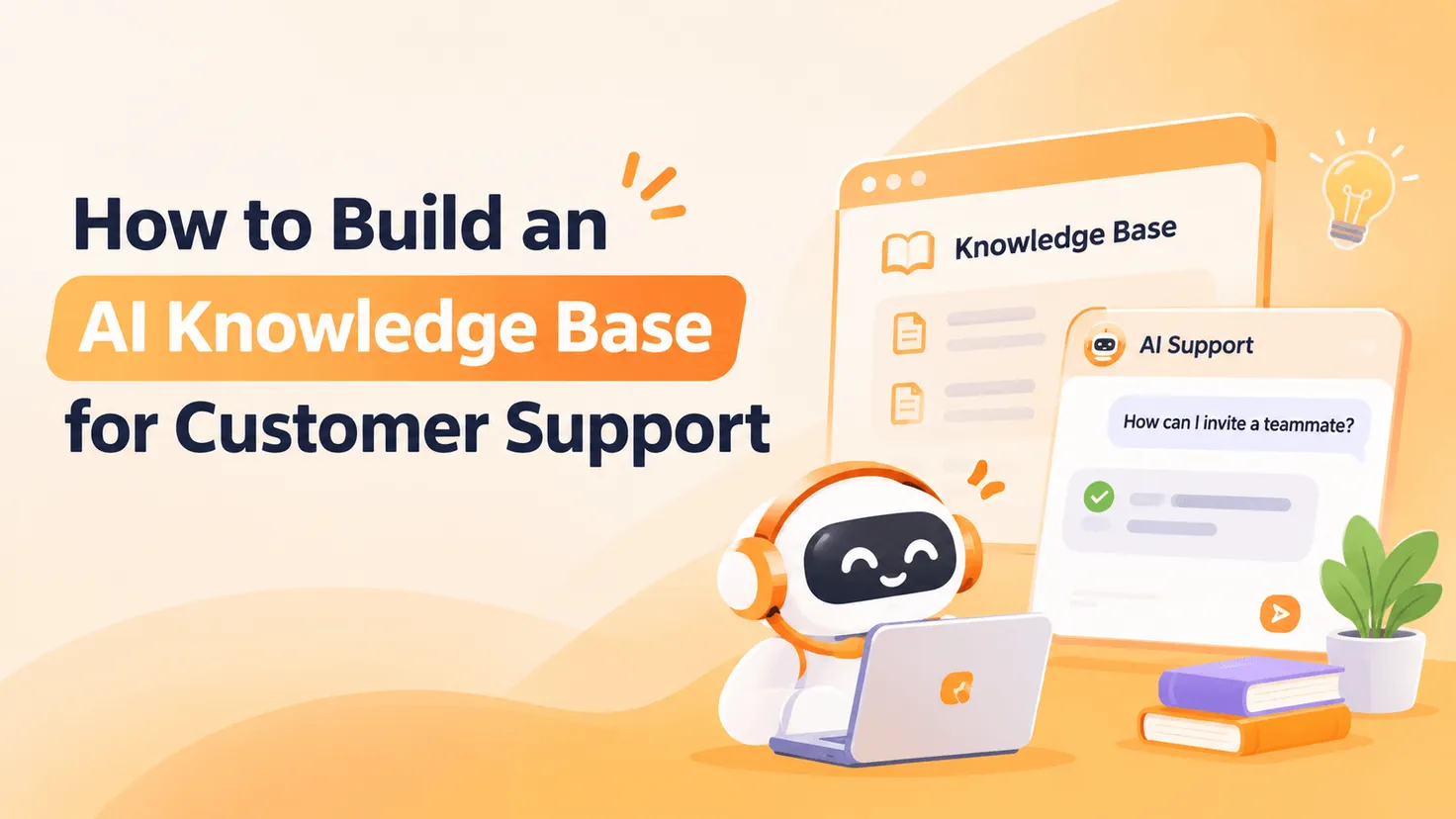
An AI knowledge base offers another approach. Instead of asking customers to search through your documentation, you can let them ask a question and receive an answer based on your existing content.
This guide explains how to build one, what information to include, and how to make sure your AI support system gives customers useful answers.
Why Your Help Center Isn't Reducing Support Questions
A help center can contain hundreds of useful articles and still leave your support team answering the same questions every day.
The problem is often how customers find and use the information.
Think about someone trying to invite a teammate to a SaaS product. They may not know whether the instructions are under Account Settings, Team Management, or Getting Started.
They could search the help center, open a few articles, and read through the steps. Or they could open the chat widget and ask:
"How do I add another person to my account?"
For many customers, asking is simply easier.
This problem also appears inside technical teams. In a Reddit thread, people discussed why questions continue even when documentation exists.
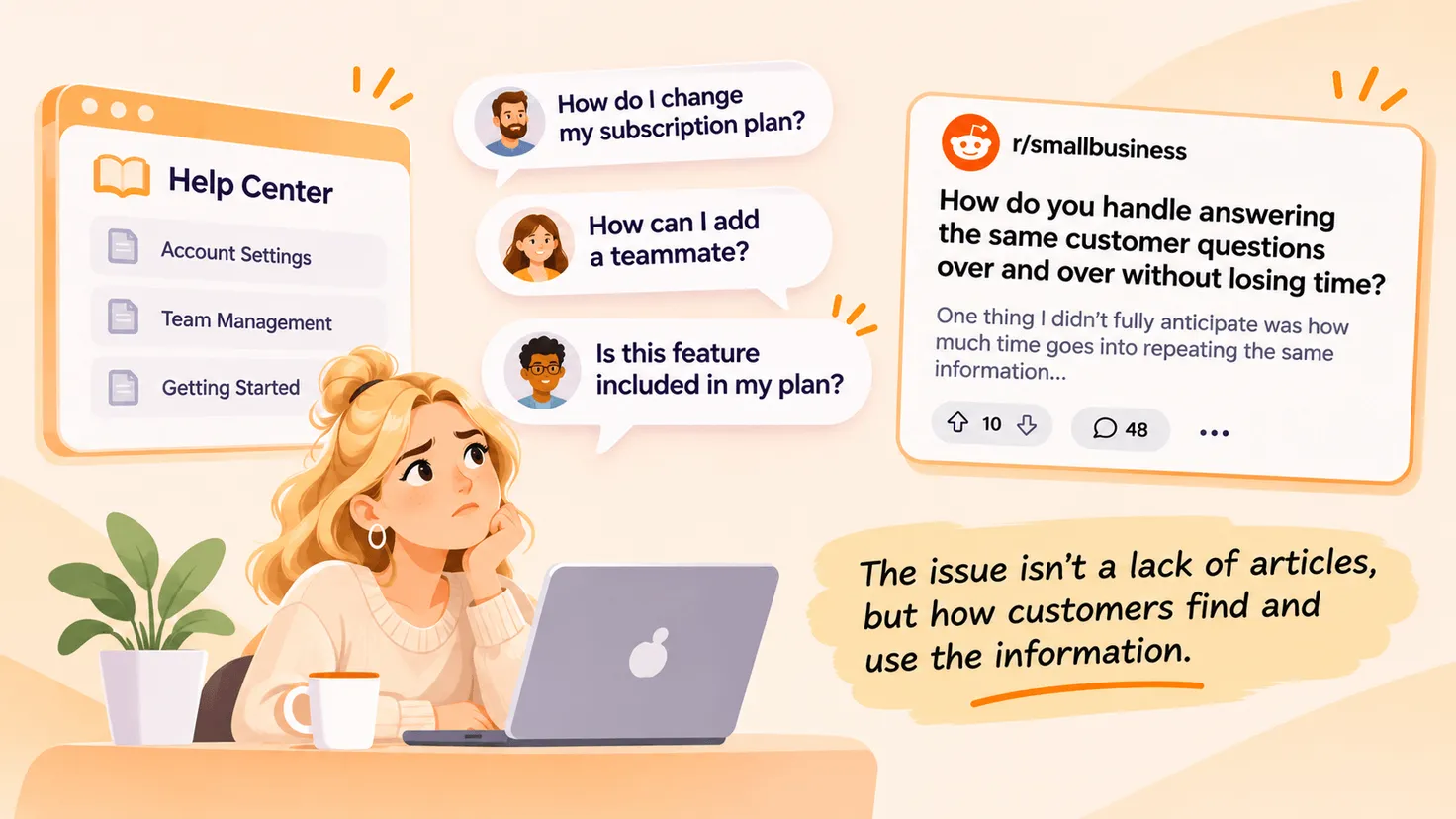
There are several reasons this happens.
Customers use different words from your documentation. Your article might be called "Workspace Member Management," while customers search for "add a teammate."
Some answers are spread across multiple articles. A customer may need instructions for inviting a user, plus information about plan limits and permissions.
Customers want an answer for their situation. Reading a general guide takes more effort than asking whether a specific feature is available on their current plan.
This is where an AI knowledge base can help.
A traditional knowledge base stores information and lets customers search for it. An AI-powered knowledge base makes that information available through a conversation.
The customer asks a question in their own words. The AI finds relevant information and uses it to form an answer.
But before AI can give useful answers, you need to make sure it has the right information.
Start With the Questions Your Customers Actually Ask
One of the easiest mistakes when building a knowledge base is starting with a list of product features.
A team might write separate articles about every menu, button, and setting. The result is a large help center that looks complete but doesn't answer the questions customers ask most often.
A better starting point is your support history.
Look at the questions your team has answered during the past few weeks. You may notice that a small group of issues appears again and again.
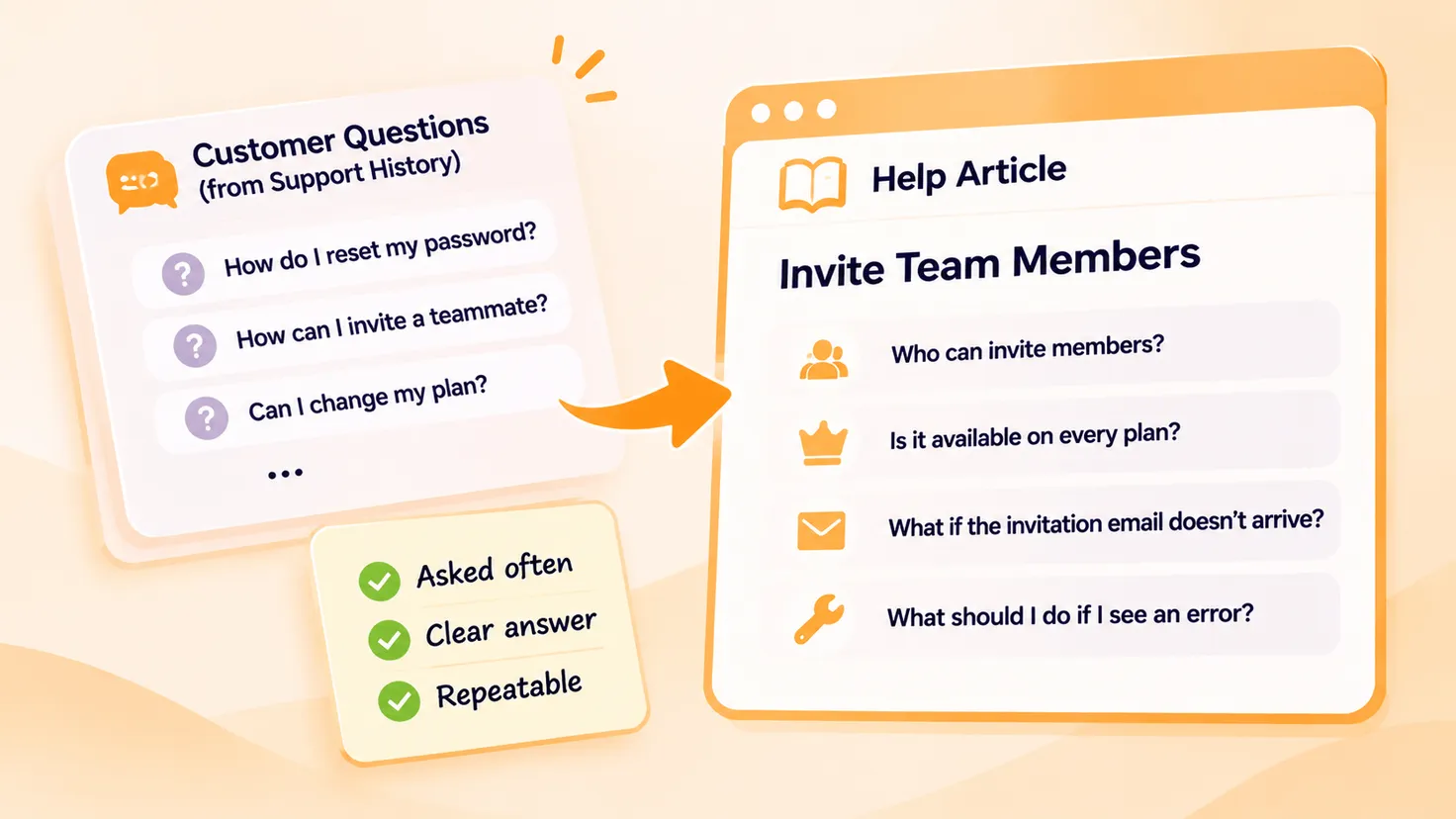
For example, a SaaS team might receive questions like these:
These questions are good candidates for your first knowledge base articles because customers already need the answers.
Choose what to write first
You don't need to document your entire product before launching AI support.
Start with questions that meet two conditions: customers ask them often, and your team can provide a clear, repeatable answer.
For example, "How do I reset my password?" is usually easier to document than "Why is my account behaving strangely?"
The first question often has a standard process. The second may require someone to investigate the customer's account.
You can still create troubleshooting content for complex issues, but it helps to separate questions AI can answer from problems that require human action.
Write articles that answer the full question
Suppose you're writing an article about inviting team members.
A short article that says "Go to Settings and click Invite" may not be enough.
Customers might also need to know:
- Who has permission to invite members?
- Is the feature available on every plan?
- What happens if the invitation email doesn't arrive?
- What should someone do if they see an error?
You don't need a long article. You need an article that includes the details required to complete the task.
A useful format is a clear title, a short explanation, numbered steps, important conditions, and what to do if the steps don't work.
Use the same words customers use in their questions whenever possible. This makes the content easier to find through both traditional search and AI.
Turn Your Existing Website and Help Articles Into AI Knowledge
If you already have a website, FAQ page, or help center, you probably don't need to start from zero.
Much of the information your AI needs may already exist.
The first task is to bring that content into a knowledge source your AI support tool can use.
Start with the content you already have
For a small SaaS team, useful sources often include product documentation, getting-started guides, pricing and plan information, account settings instructions, and troubleshooting articles.
Some AI knowledge base tools let you import individual pages. Others support website crawling, which can collect content from multiple pages without requiring you to copy each article manually.
For example, FeedLog makes it easier to build an AI knowledge base from your existing website. Once connected, it can crawl your entire website and use the imported content as a knowledge source for its AI Agent. You don't need to copy every FAQ or help article manually.
Keeping that information up to date is just as important. FeedLog supports both scheduled updates and manual refreshes, so teams can keep their AI knowledge source in sync as website content changes. For important support information, teams can also create and manage articles in FeedLog's Help Center.
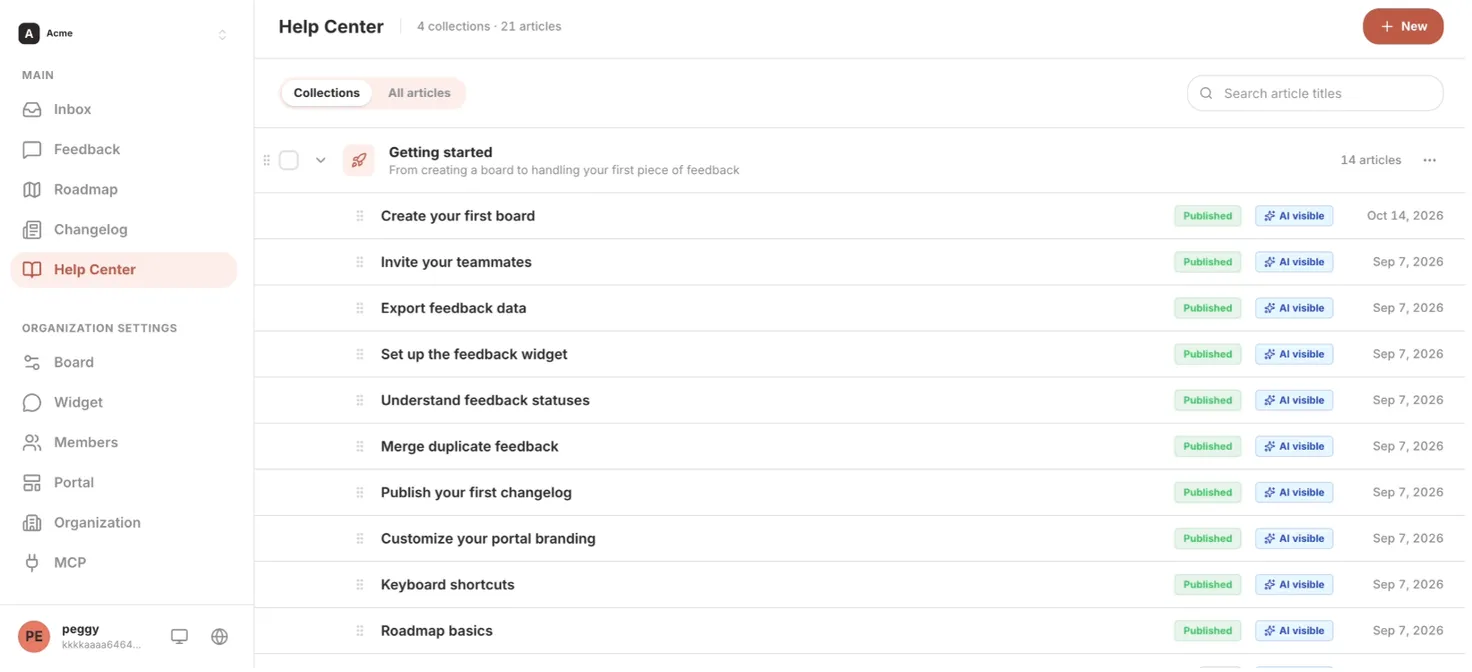
This gives small SaaS teams a practical way to start with the content they already have, maintain key support articles, and reduce the work needed to keep their AI answers accurate.
However, importing content is only the beginning. You still need to make sure the information is correct, complete, and consistent.
Check what the AI is learning
Imagine your pricing page says a plan supports five team members, while an old help article says the limit is three.
Both pages might be available to your AI.
Without a clear rule for which information to trust, the system may give an inconsistent answer.
Before using imported content, check for outdated product details, duplicate articles, conflicting instructions, and pages that shouldn't be treated as customer support information.
Pay particular attention to pricing, account permissions, billing policies, and features that change frequently.
A knowledge base doesn't become reliable simply because it contains more information. The information also needs to be correct.
Keep important answers easy to maintain
Website import can save time during setup, but some content deserves closer attention.
For example, your team may want a dedicated help article explaining subscription cancellation, including when cancellation takes effect and what happens to stored data.
Keeping important policies and instructions in clearly maintained help articles makes them easier to review when your product changes.
The goal is not to choose between website content and a help center. It's to make sure your AI has useful, current information wherever that information is managed.
Make Your AI Agent Answer Questions, Not Just Find Articles
Once your knowledge is ready, the next step is making it available where customers actually need help.
For SaaS products, an embedded AI support widget makes this much easier. Customers can ask questions directly inside your app without opening a new tab, searching through help articles, or leaving what they're working on.
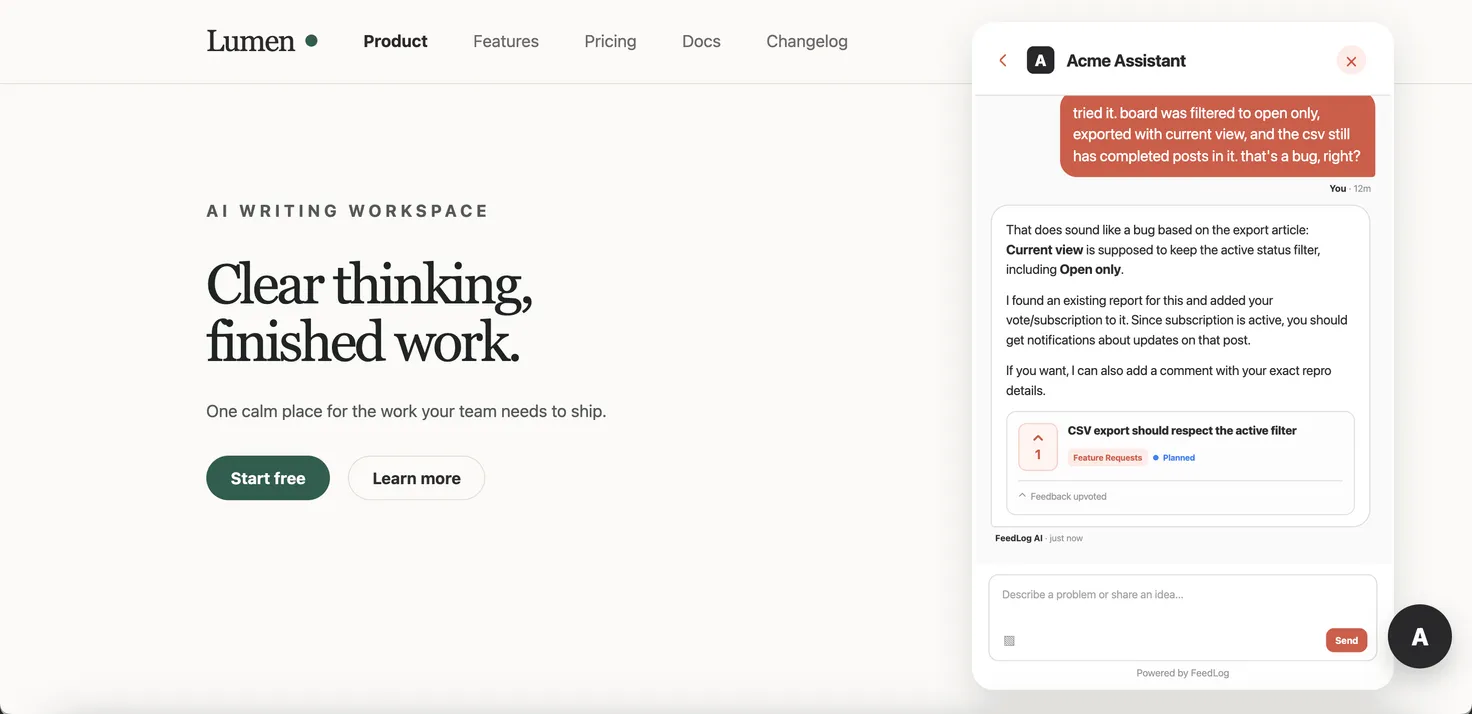
Let's return to the customer who wants to invite a teammate.
They're already in the workspace but can't find the invitation settings. Instead of leaving the app to search the help center, they open the chat widget and ask:
"How can I add someone to my workspace?"
The AI agent uses the knowledge base to find the relevant instructions. It can explain where to open team settings, what permissions are needed, and what to do next.
The customer then asks:
"Can I do that on the free plan?"
A good AI agent understands that this follow-up is still about inviting teammates. It checks the relevant plan limits and gives an answer based on the available information.
The customer can follow the instructions while staying in the same workspace.
This is where an embedded widget becomes useful. Instead of sending customers away to find an answer, you bring support into the product at the moment they need it.
For small SaaS teams, combining an in-app widget with a knowledge-based AI agent can help customers solve common problems on their own, while reducing the number of routine questions that reach the support team.
Give answers that customers can verify
AI-generated answers can sound confident even when the information is incomplete.
For customer support, that can create problems. A wrong answer about billing, permissions, or account data may be worse than asking the customer to wait for help.
One useful practice is to let customers see the source behind an answer.
For example, if the AI explains how to cancel a subscription, a link to the relevant help article allows the customer to check the details.
In FeedLog, the Agent can use permitted Help Center articles to answer questions, and public articles can be shown as sources in the Widget.
This makes it possible to move from a customer question to an answer and, when needed, to the original documentation.
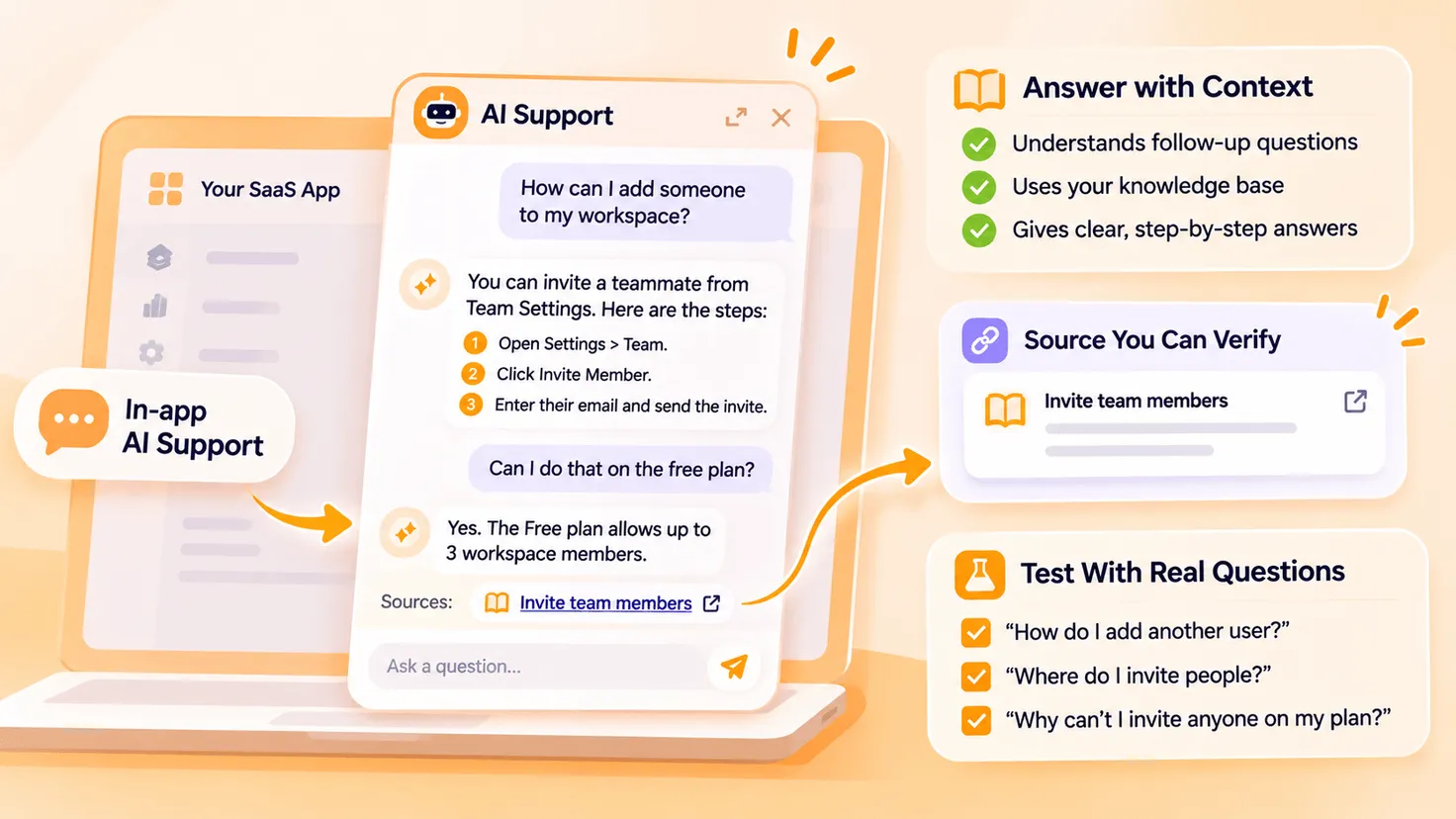
Test real questions before launching
A knowledge base may look complete to the team that wrote it. Customers will often ask questions in ways the team didn't expect.
Before making your AI support available to everyone, test it with questions taken from actual support conversations.
For example, try these variations:
- "How do I add another user?"
- "Can my teammate access this workspace?"
- "Where do I invite people?"
- "Why can't I invite anyone on my plan?"
Also test follow-up questions. Customers rarely describe every detail in their first message. For example, someone might simply say, "I can't invite my teammate," without explaining what went wrong.
FeedLog's AI Agent can ask follow-up questions based on what the customer has shared, such as whether they see an error message or which plan they're using. This helps customers explain their problems more clearly and gives the AI the context it needs to provide a more accurate answer.
If the AI still gives a wrong or incomplete answer, check the source content before changing the AI's behavior. Sometimes the problem is simply that a help article is missing an important detail or contains outdated information.
When Should AI Hand Off to a Human?
Not every customer question can be solved with a help article.
A customer may understand your refund policy and still need someone to review a payment. Another customer may report a bug that requires investigation.
There are also situations where customers keep asking the same question because they are unhappy with the answer, not because they haven't received one.
AI support should recognize when providing another answer is unlikely to help.
What Happens When AI Can't Solve a Customer's Problem?
Not every customer problem can be solved with an answer from the knowledge base. Sometimes a customer reports a bug, requests a missing feature, or needs help from a real person.
Instead of ending the conversation with "Sorry, I can't help," a good AI support system should make sure the problem reaches the right team.
FeedLog handles these situations in two ways.
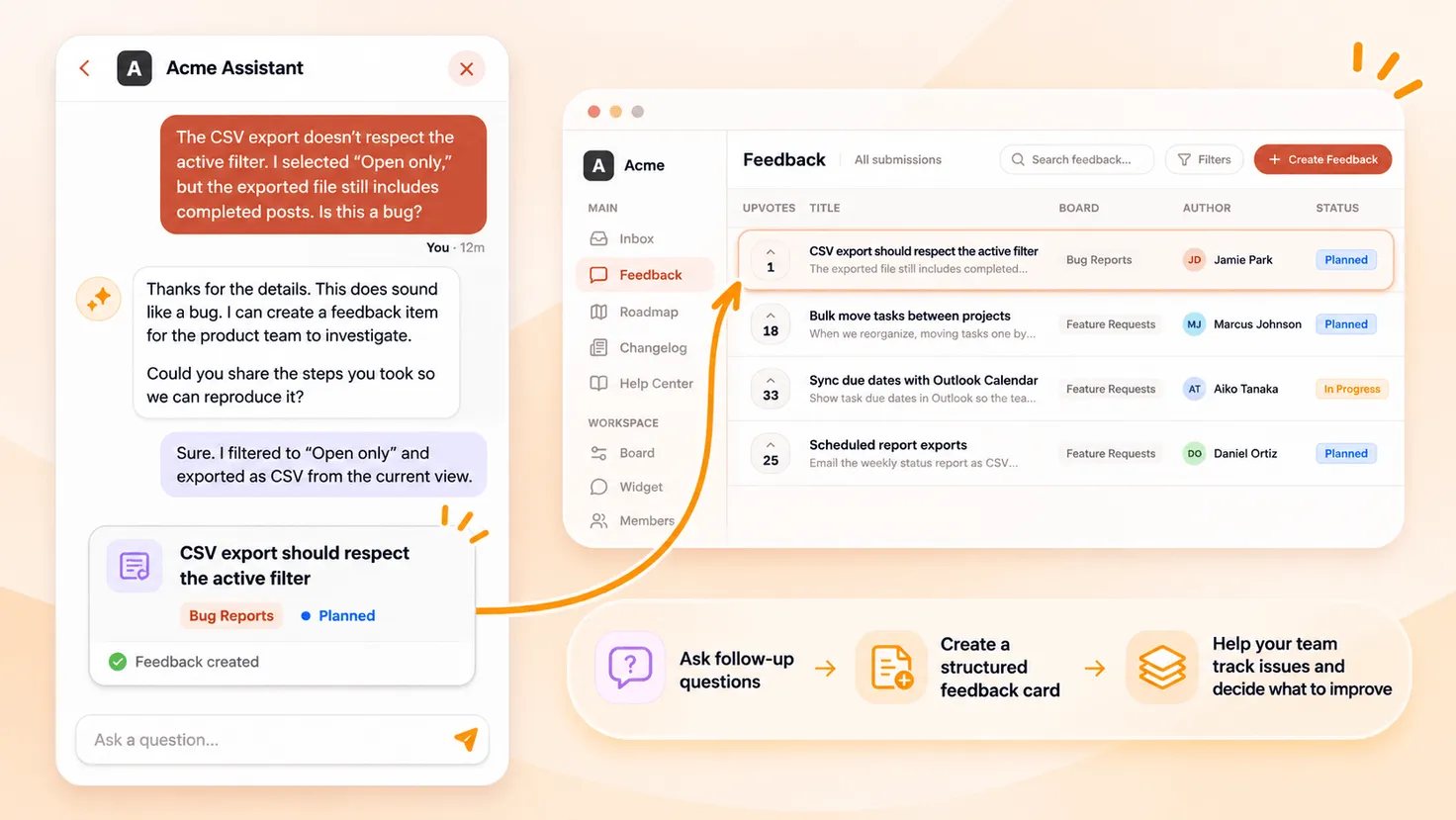
Turn unresolved issues into product feedback. When a customer reports a bug or requests a feature that the AI can't resolve, FeedLog's Agent can ask follow-up questions to understand the problem and turn the conversation into a structured feedback card. This helps the product team see what customers need, track reported issues, and decide what to improve.
Hand over conversations to human support. When a customer asks to speak with a real person, FeedLog can route the conversation to its Inbox. A team member can take over and reply directly through the same Widget the customer is already using. The conversation stays in one place, so customers don't need to switch channels or explain their problem again.
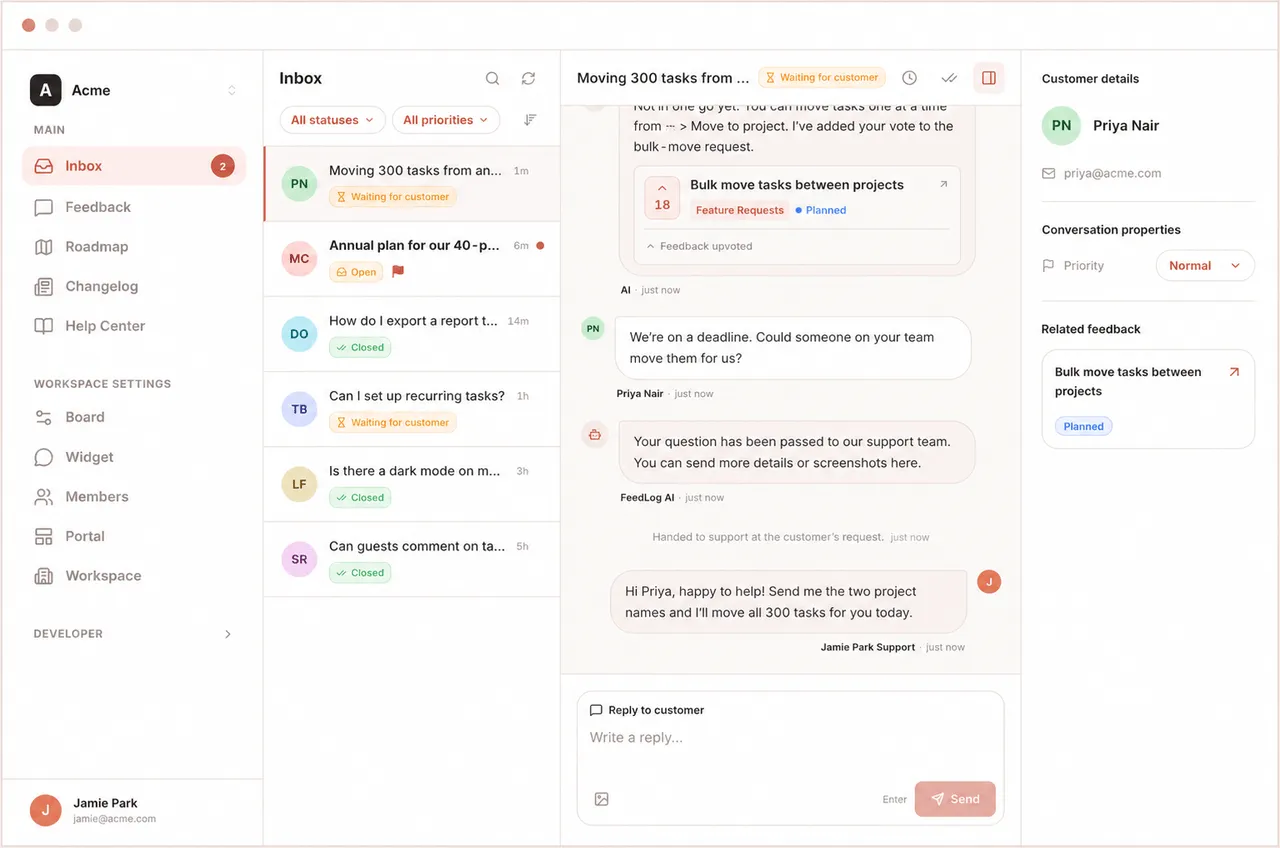
For example, if a customer says, "I can't export my data," the Agent can first ask what happened. If the issue is caused by a missing feature or a product bug, it can be recorded as feedback for the product team. If the customer needs someone to investigate their account, the conversation can be handed over to human support.
This way, even when AI can't provide an immediate solution, the customer's problem doesn't get lost. It can become actionable feedback or continue with a real support agent.
Keep Your AI Knowledge Base Accurate as Your Product Changes
An AI knowledge base needs to change with your product. When new features are released, pricing plans change, or old features are removed, your support information needs to stay up to date.
For example, imagine a SaaS product increases the number of team members allowed on its free plan. The pricing page is updated, but the help article still shows the old limit. If the AI uses that outdated article, customers may receive the wrong answer.
To avoid this, keeping your knowledge base accurate should be part of your product update process, not something you only do when customers report a problem.
Make Knowledge Base Updates Part of Your Product Workflow
Whenever your team releases a new feature or changes an existing one, review the related help articles at the same time.
For example, if you update your data export feature, make sure the help article explains the new steps before customers start using them.
For teams using website content as an AI knowledge source, scheduled syncing can help keep information current, while manual refreshes are useful for important changes that need to be reflected right away.
A simple workflow is to update the product, review the related documentation, refresh the AI knowledge source, and test a few customer questions to make sure the answers are correct.
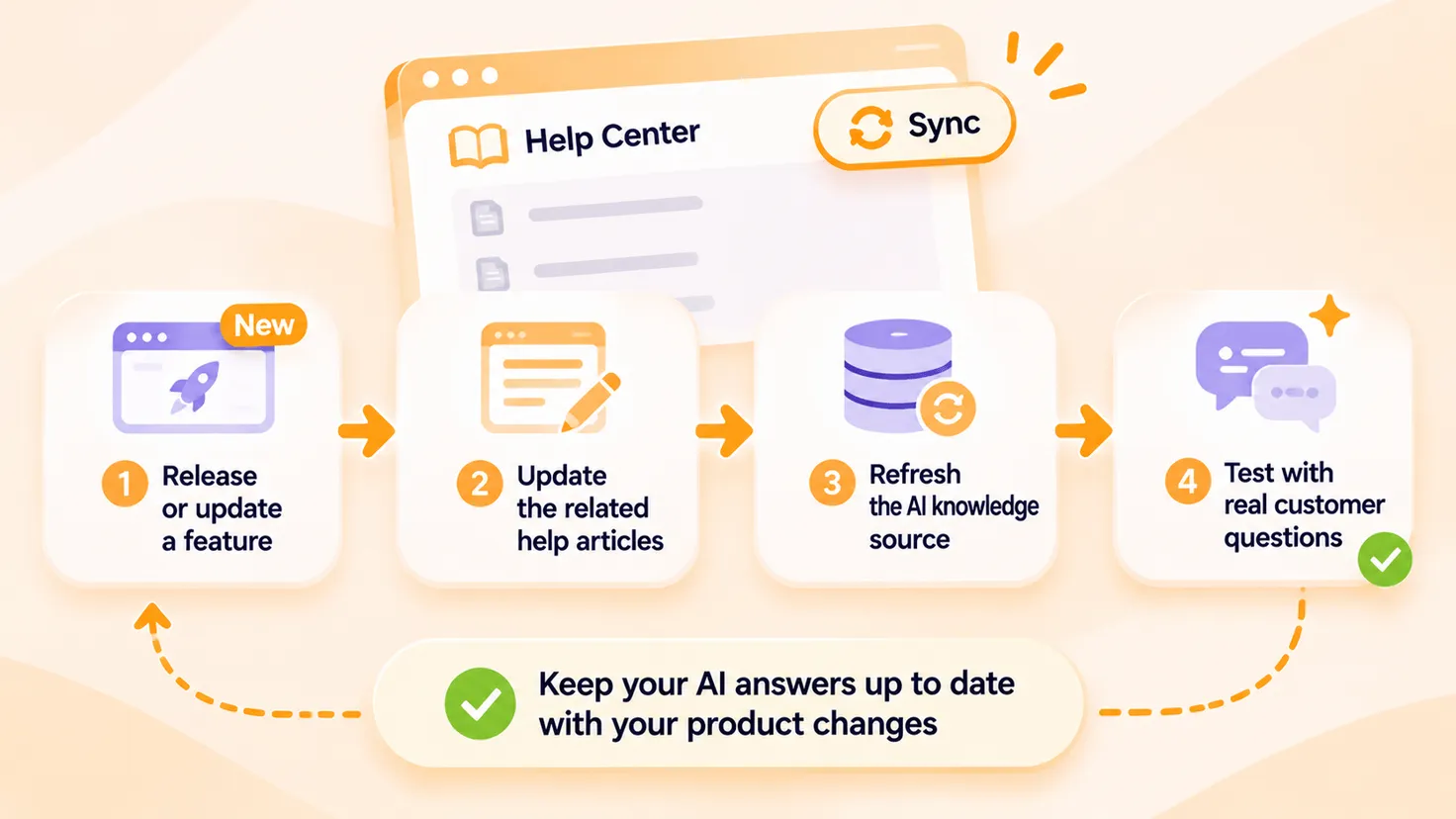
This helps prevent a common problem: the product has changed, but the AI is still explaining how the old version works.
Turn Customer Feedback Into Product Improvements
Keeping your knowledge base accurate is not only about updating existing articles. Customer conversations can also reveal missing features, product bugs, and problems your team hasn't noticed.
For example, imagine several customers ask whether they can recover deleted projects. Your AI knowledge base may explain that recovery isn't currently supported, but that answer doesn't solve the customers' underlying need.
Instead of losing these requests in support conversations, FeedLog can turn them into structured feedback cards. The product team can review the requests, understand how many customers are affected, and decide whether the feature should be added to the product roadmap.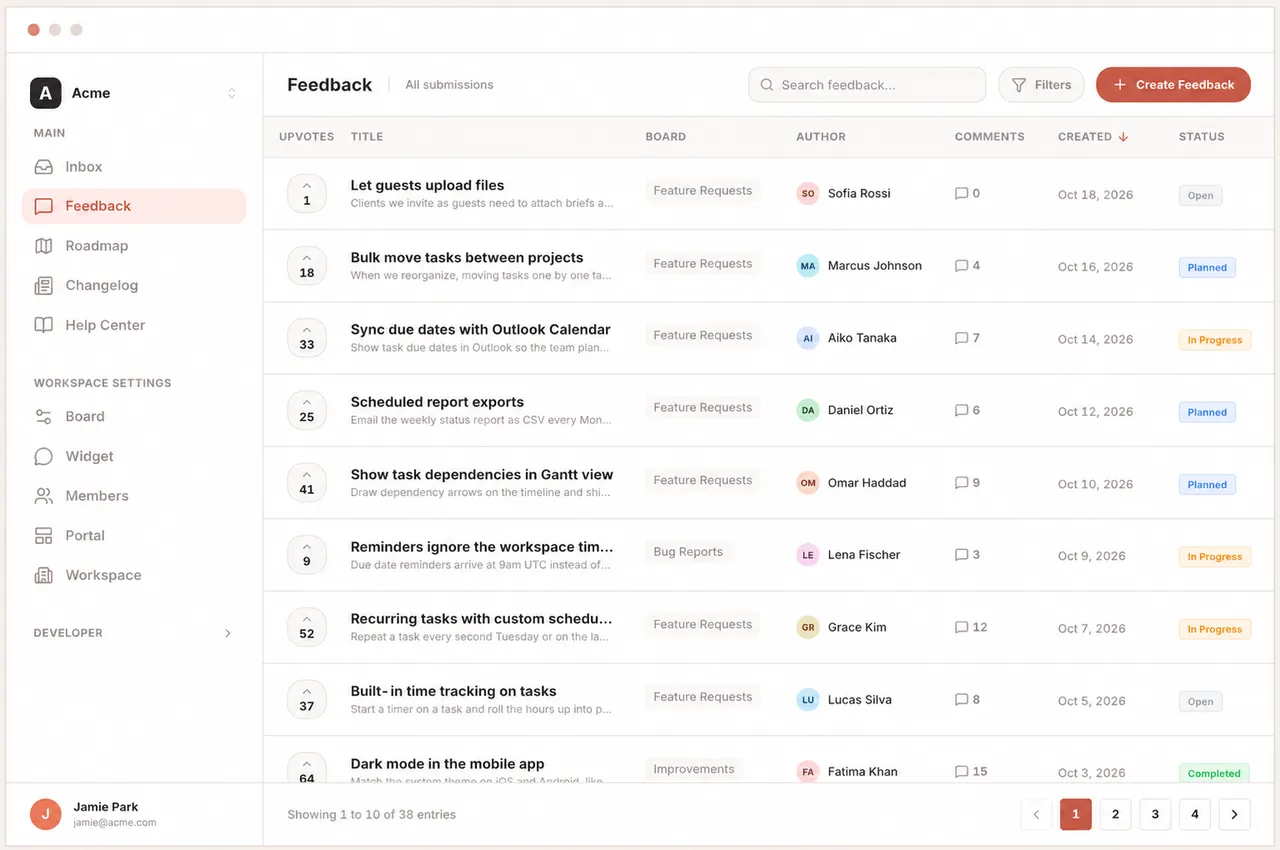
Customers can also follow the status of their feedback and see whether a request has been accepted or is moving through development. Even when a feature isn't available yet, they know their request hasn't been lost.
When the feature is eventually released, the team can update the relevant help articles, giving the AI Agent the latest information to answer future questions.
This creates a continuous cycle:
Customer question → AI support → Product feedback → Roadmap → Product update → Knowledge base update → Better AI answers.
Over time, this process makes customer support more efficient. The AI Agent can handle more routine questions using up-to-date product knowledge, while the support team can focus on complex issues and the product team can use customer feedback to improve the product.
Instead of simply answering questions one by one, SaaS teams can build a support system that learns from customer needs, keeps information accurate, and becomes more useful as the product grows.
Conclusion: Build an AI Knowledge Base That Makes Customer Support Easier
An effective AI knowledge base does more than store help articles. It helps customers get accurate answers when they need them, while reducing repetitive support work for your team.
For small SaaS teams, the key is to connect reliable product knowledge with an AI Agent that can understand customer questions, ask for more details when needed, and hand over complex issues to human support.
FeedLog brings these capabilities together with a complete AI Agent and Help Center system. Teams can use existing website content, manage their knowledge base, and provide AI-powered customer support directly inside their products through an embedded Widget.
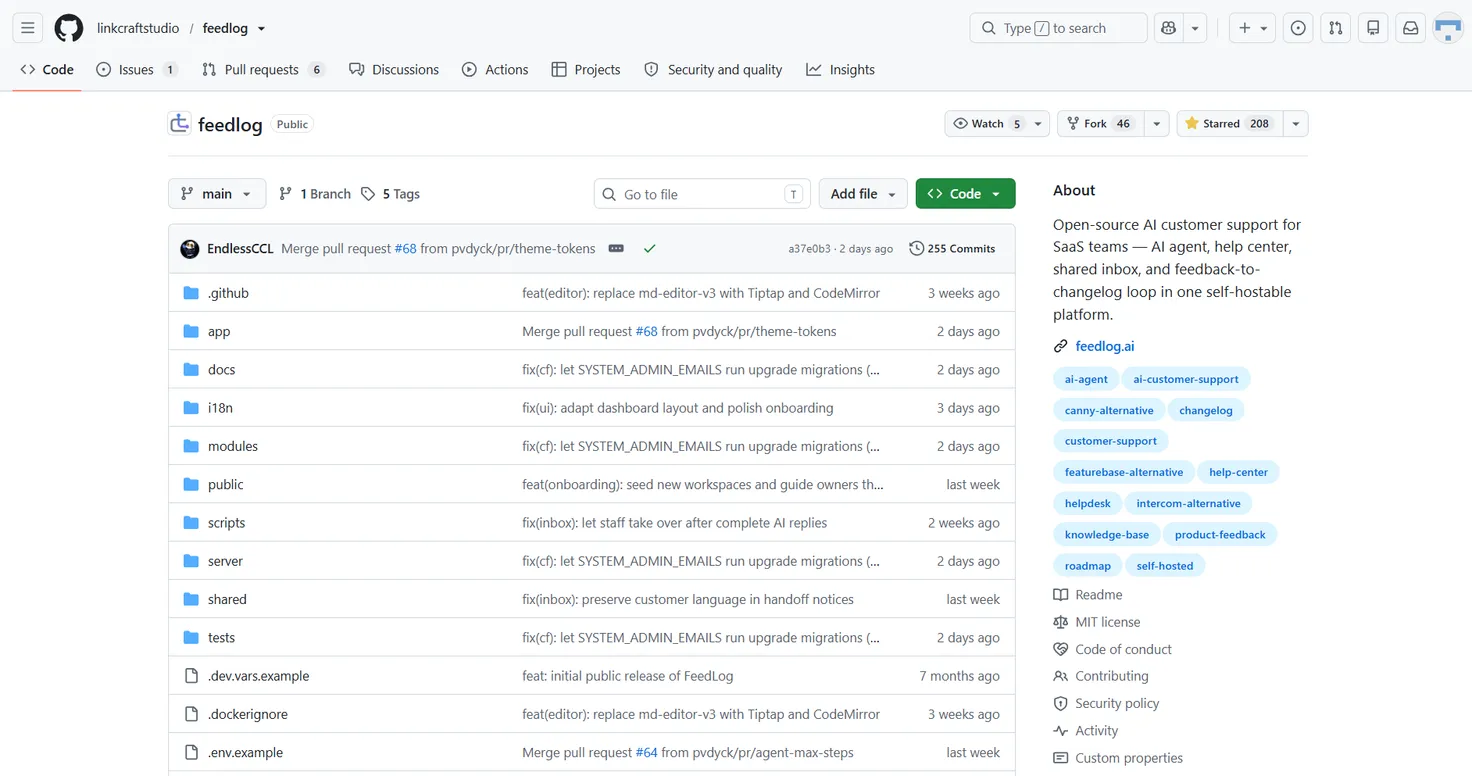
You can get started with FeedLog's hosted service or choose the open-source version to self-host the platform and keep control of your data.
With the right knowledge and support workflow, even a small SaaS team can provide helpful customer support without spending hours answering the same questions.
Frequently Asked Questions
Why don't customers read the help documentation on my website?
Customers often skip help documentation because finding the right answer takes more effort than asking a question. They may not know which article to open, use different words from your documentation, or need an answer that applies to their specific situation.
For example, a customer might ask "Why can't I invite my teammate?" instead of searching for "Workspace Permissions." Even if the answer exists, they may not find it.
An embedded AI support widget can help by letting customers ask questions directly inside your product, without searching through multiple help pages.
Can an AI knowledge base reduce repetitive customer support questions?
Yes. An AI knowledge base can reduce repetitive support questions when it is connected to an AI Agent that customers can access directly on your website or inside your SaaS product.
The Agent uses your knowledge base to answer common questions about product features, account settings, pricing, and troubleshooting. Unlike a simple chatbot with fixed replies, a knowledge-based AI Agent can search relevant documentation, understand follow-up questions, and provide answers based on available information.
However, answer quality depends on the accuracy of your knowledge base. For complex issues or missing information, the Agent should ask for clarification or hand the conversation to human support rather than guess.
Can I build an AI knowledge base from my existing website?
Yes. You can build an AI knowledge base using content from your existing website, including FAQs, help articles, product guides, and support documentation.
Some AI knowledge base tools support website crawling, allowing you to import multiple pages without copying each article manually. Tools that offer scheduled syncing or manual refreshes can also help keep the imported content updated as your website changes.
Before launching, review the imported content for outdated instructions, conflicting information, and missing details. You can then add dedicated help articles for important topics that your website doesn't explain clearly.
How many articles do I need to start an AI knowledge base?
There is no minimum number of articles required to start an AI knowledge base. What matters most is whether your content covers the questions customers ask frequently.
For a small SaaS product, a practical starting point is 10–20 well-written articles covering account setup, billing, common features, troubleshooting, and subscription management. This is a suggested starting range, not a technical requirement.
Use real support conversations to decide which articles to create first. As customers ask new questions, you can expand your knowledge base based on actual needs rather than trying to document every feature before launch.
How often should I update my AI knowledge base?
Update your AI knowledge base whenever important product information changes, such as feature releases, pricing updates, subscription rules, or changes to account settings.
For frequently changing products, reviewing key help articles during each product release is a practical approach. Website syncing can help refresh imported content, but it is still important to check that different knowledge sources provide consistent information.
You should also review unanswered questions, incorrect AI responses, and customer feedback regularly. These can reveal missing articles or outdated instructions that need attention.