 Chloe HartLast Modified: Aug 24, 2026
6 Best Website Feedback Widgets for SaaS in 2026




Adding a feedback button to a SaaS product is easy. Getting useful feedback from it is not.
A user might click a widget and write, “Export doesn’t work,” “This page is confusing,” or “Can you add team sharing?” Technically, you collected feedback. But your product team is still left asking what happened, what the user was trying to do, and whether the request represents a real problem or just one possible solution.
That is why choosing a website feedback widget in 2026 is less about finding the nicest-looking form and more about deciding what kind of information you need from users.
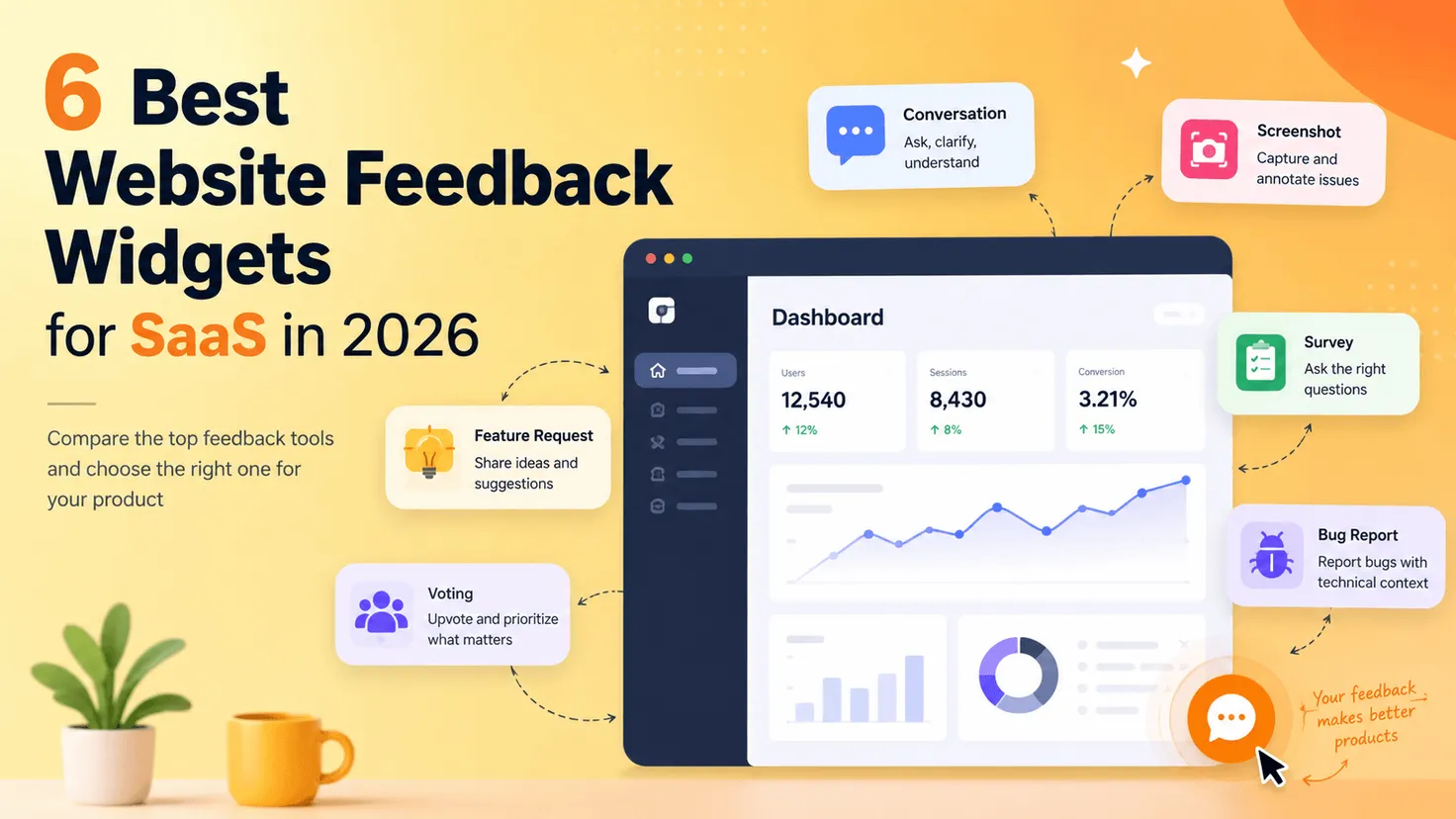
Some website feedback widgets are built around screenshots and bug reports, while others specialize in contextual surveys, feature requests, or continuous user research.Others specialize in contextual surveys, feature requests, or continuous user research. A newer category goes a step further by using AI to clarify what users mean before their feedback reaches the product team.
This guide compares six different approaches, with a focus on SaaS teams that want feedback they can actually use.
Quick Comparison: Best Website Feedback Widgets
| Tool | Best For | Feedback Approach | Key Difference | Pricing | Free Option |
|---|---|---|---|---|---|
| FeedLog | AI-first user support & conversational feedback | AI conversation + structured feedback | Uses product knowledge and multi-turn conversations to clarify feedback before structuring it | Free | Yes |
| Usersnap | Visual user feedback | Screenshots, screen recordings & surveys | Captures visual evidence and contextual information directly from users | First 20 feedback items free; paid plans available | Yes |
| Qualaroo | Contextual micro-surveys | Targeted surveys & Nudges | Collects contextual feedback through targeted questions on websites and apps | Free; Essentials from $19.99/mo, billed annually | Yes |
| Survicate | Website surveys & continuous feedback | Website, in-product & multichannel surveys | Combines website feedback with a broader continuous VoC workflow | Free; Growth pricing varies by response volume | Yes |
| Featurebase | Feature requests & feedback management | Feedback boards, widgets, voting & support | Combines feedback management, roadmaps and customer support in one platform | Free; Growth from $29/seat/mo, billed annually | Yes |
| Marker.io | Website bug reporting | Screenshots + technical context | Turns visual website issues into developer-ready bug reports | Starter from $39/mo, billed annually | 15-day trial |
Pricing changes frequently, so check each vendor’s current plan before making a decision. For example, Featurebase introduced seat-based pricing in December 2025, while Marker.io’s Starter plan currently starts at $39/month when billed annually
What Should You Look for in a Website Feedback Widget?
Most website feedback widget comparisons start with feature lists. That can be misleading because two products may both say they “collect feedback” while solving very different problems.
A better place to start is the kind of conversation you want to have with users.
If your users usually report visual problems, screenshots and browser information matter more than sophisticated survey logic. If you want to understand why visitors abandon your pricing page, behavioral targeting matters more than a public feedback board. If feature requests are your main source of feedback, voting and roadmap workflows become much more important.
There is also a less obvious question: how much work happens after the user starts typing?
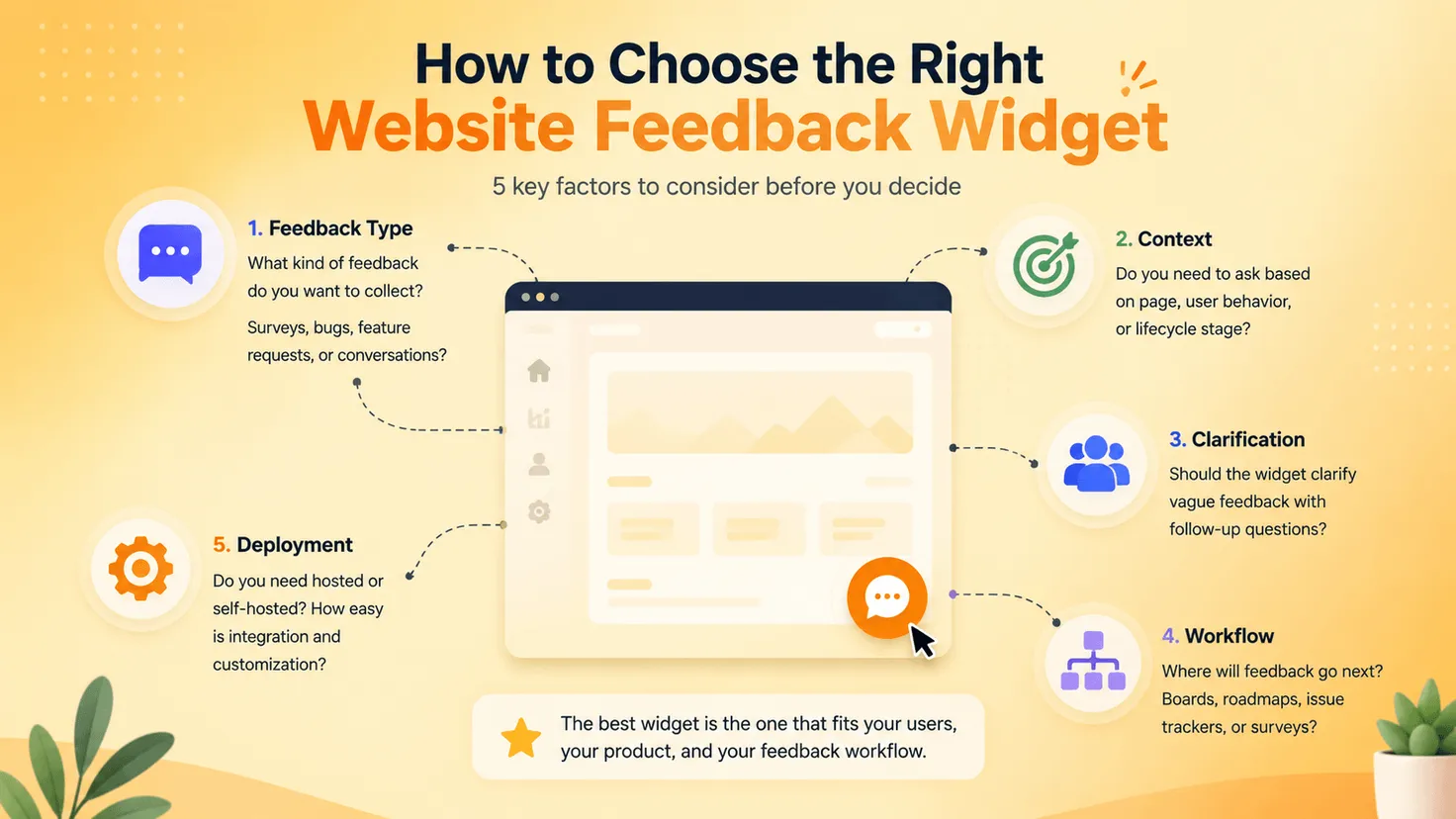
A basic widget captures exactly what the user submits. That is fine when the feedback is already clear. But many product requests are not clear. “Add Excel export” tells you what the user wants you to build, but not necessarily what they are trying to accomplish.
This is where newer AI-assisted approaches become interesting. Instead of treating the first sentence as the finished feedback, the widget can ask for context before turning the conversation into something the product team can evaluate.
The workflow starts to look less like:
Open widget → Fill in form → Submit
and more like:
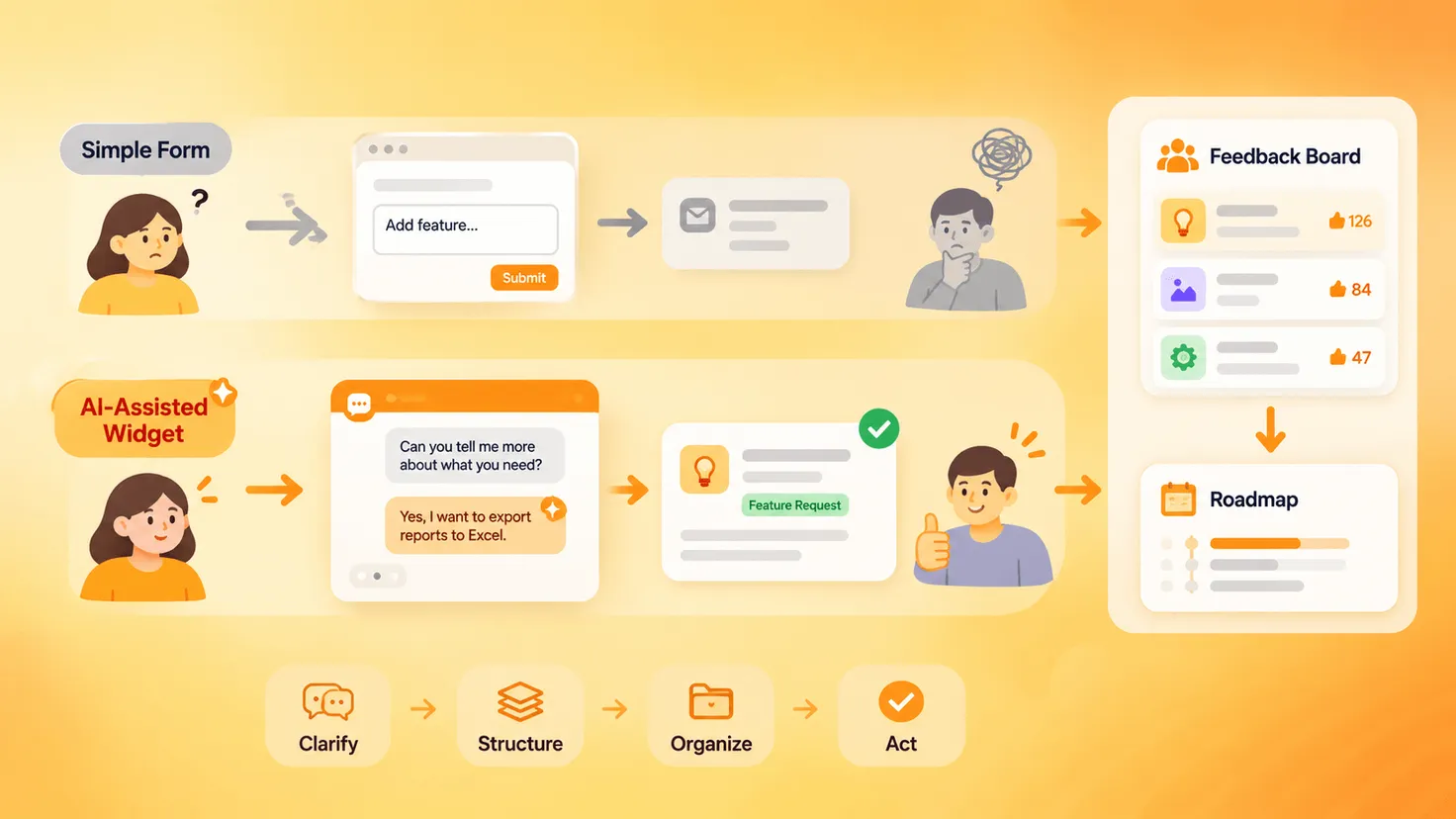
Open widget → Explain problem → Clarify → Structure → Organize → Act
The final thing to consider is what happens after submission. A good feedback widget should fit into the rest of your feedback workflow rather than becoming another inbox nobody checks.
For some teams that means sending bugs directly to Jira. For others, it means moving requests into a feedback board, collecting votes, putting validated work on a roadmap, and eventually telling users what shipped.
With those differences in mind, here are six tools worth considering.
1. FeedLog — Best for AI-Assisted Product Feedback
Most feedback forms assume the user already knows how to describe the problem.
In reality, users often give you the shortest possible version:
“Please add bulk export.”
That is enough to create a feature request, but not necessarily enough to make a product decision. Does the user need to export 20 records or 20,000? Are they moving data into Excel, another SaaS product, or an internal reporting system? Is the real problem export format, speed, or the absence of an API?
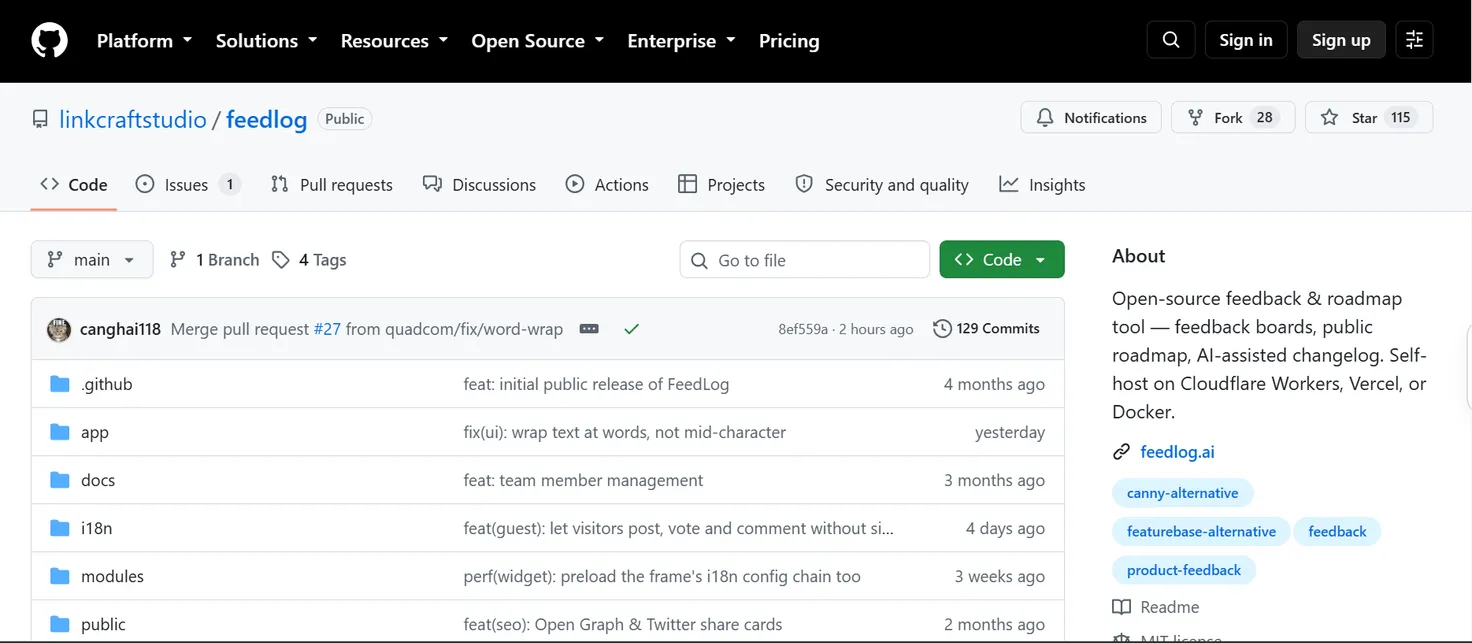
FeedLog takes a more conversational approach to this part of the process. Its widget lets users describe problems and ideas without first choosing a board or writing a polished feature-request title. AI helps understand the request, and the current conversational flow can continue asking follow-up questions when more context is needed before generating structured feedback.
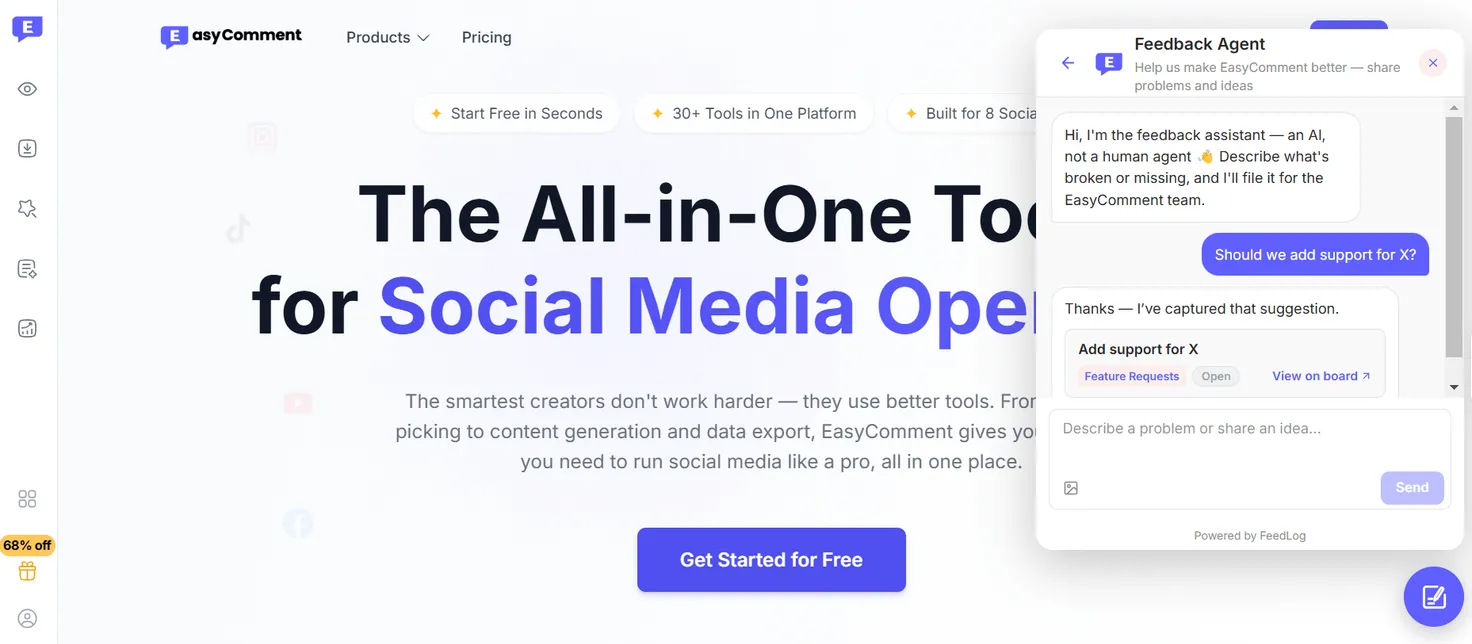
Once a request becomes feedback, it does not live in an isolated form inbox. It can move into a public feedback board where users can vote and discuss it. Teams can merge duplicate requests, move planned work onto a roadmap, and publish completed work through a changelog. FeedLog’s changelog can also use AI to draft an entry from completed feedback.
That makes it particularly useful for SaaS teams that are less interested in running traditional surveys and more interested in understanding product problems, feature requests and improvement ideas.
FeedLog is also open source under the MIT license. Teams can use the hosted version or self-host it. The self-hosted version supports Docker, Vercel and Cloudflare Workers, while feedback data can stay in the team’s own Postgres and S3 infrastructure. AI features can be connected to OpenAI, Azure, a LiteLLM proxy or a model running on your own hardware.
Best fit: SaaS teams, AI products and smaller product teams that want conversational feedback collection followed by a structured product-feedback workflow, particularly when open source or self-hosting matters.
Pricing: FeedLog is currently free and open source, with self-hosting available through Cloudflare Workers, Vercel, or Docker for teams that want more control over deployment and data. GitHub
2. Usersnap — Best for Visual User Feedback
Sometimes there is no reason to make users explain a problem in words.
Imagine a customer finds a button overlapping a navigation element on a particular browser. A text box forces them to describe where the button is, what looks wrong and what device they are using. A screenshot can communicate most of that instantly.
That is where Usersnap stands out.
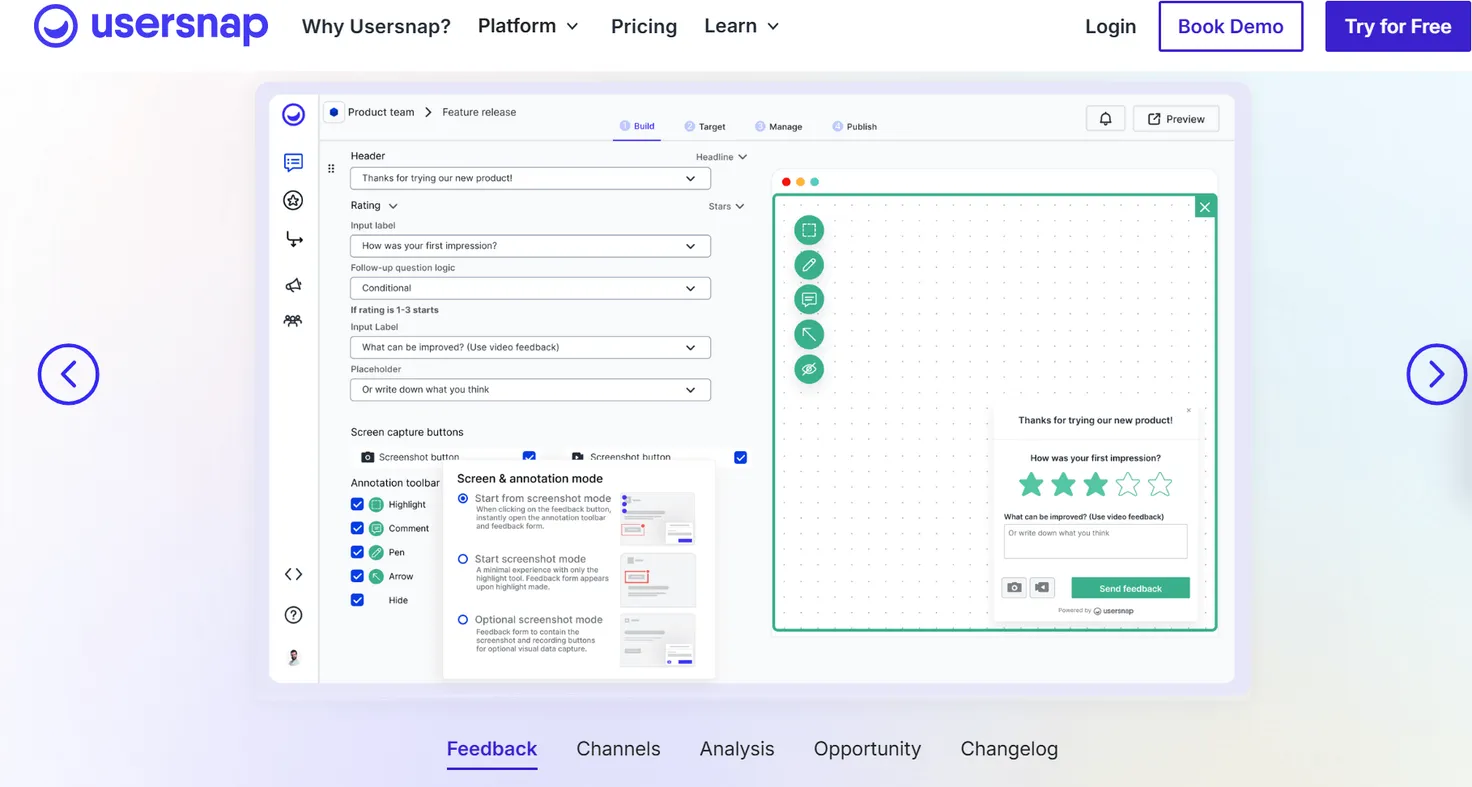
Users can capture screenshots directly in the browser, annotate the affected area, or record their screen. Usersnap also captures contextual metadata such as the URL, browser information and screen size. That gives designers and engineers more of the information they need without sending another email asking, “Which browser were you using?”
Its scope has expanded beyond visual bug reporting. Usersnap now offers surveys, a feedback and support menu, product-request portals, announcements, a changelog and AI-assisted feedback analysis. Still, visual feedback remains the clearest reason to choose it over the other tools in this list.
For a design-heavy SaaS product, a visual website feedback widget can be particularly useful during beta testing, redesigns and user acceptance testing. Instead of separating “feedback” from the page that caused it, the page itself becomes part of the report.
Best fit: Product, design, QA and engineering teams that regularly receive UI issues, visual bugs or feedback that is difficult to explain without screenshots or recordings.
Pricing: Usersnap currently lets teams collect their first 20 feedback items for free with no time limit, with paid tiers adding more projects, targeting, AI features, and team capabilities.
3. Qualaroo — Best for Contextual Micro-Surveys
Not every useful piece of feedback starts with the user deciding to contact you.
Sometimes the product team already knows exactly what it wants to learn.
Why did someone spend time on the pricing page but not upgrade? Why are users leaving during onboarding? Did the latest workflow make a task easier or harder?
Qualaroo is designed around asking those questions in context.
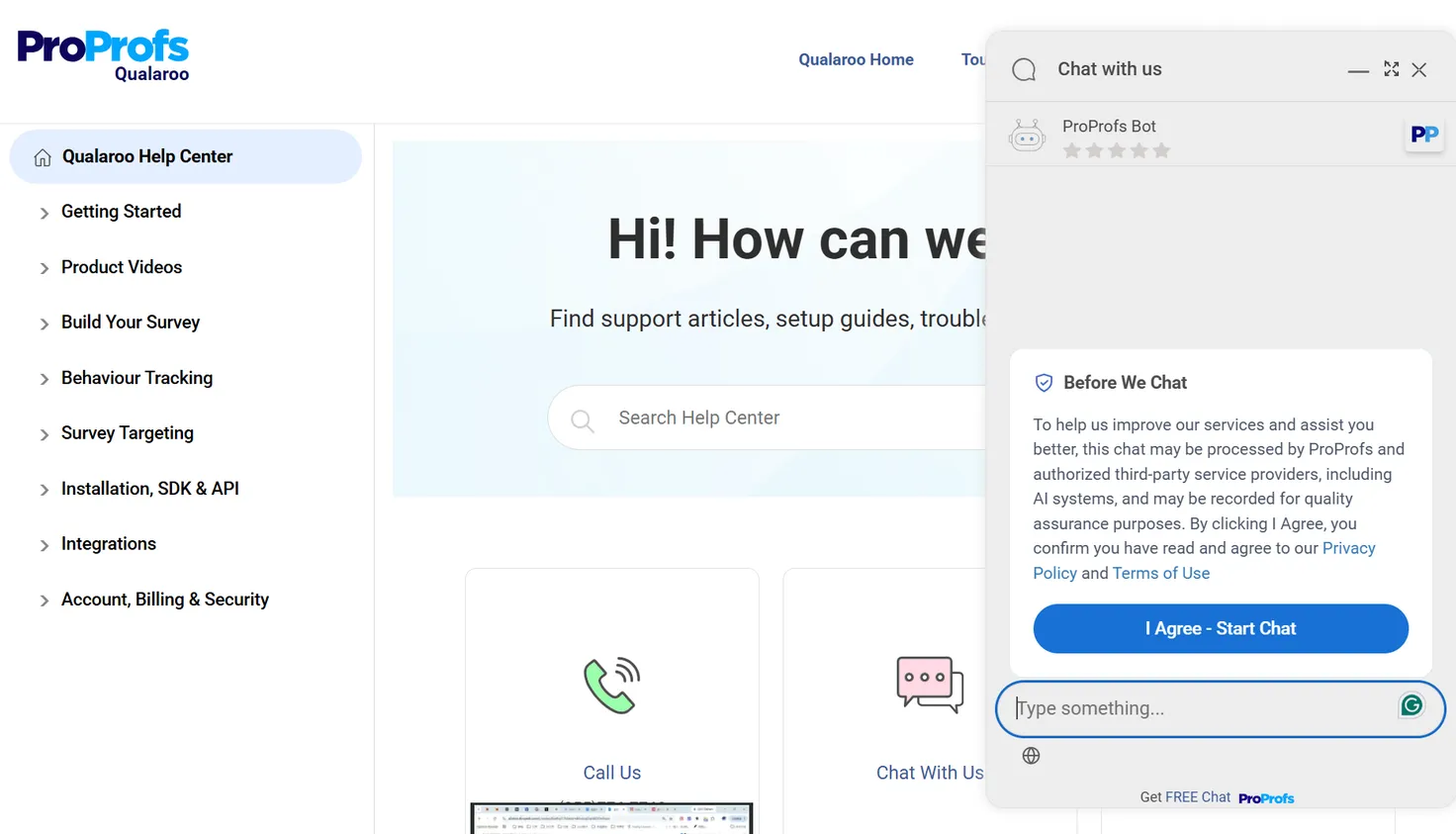
Its Nudges can target users based on actions, behavioral patterns, events, location, cookies and data passed from the application. A SaaS company could, for example, ask for pricing feedback while someone is viewing the pricing page, or trigger a question when a visitor is about to leave.
That is a different approach to a website feedback widget than an always-open product feedback channel. The team defines what it wants to understand and controls when the question appears.
Qualaroo supports NPS, CSAT and CES surveys as well as branching and skip logic. It also includes AI-assisted survey creation and sentiment analysis, making it useful when the goal is to collect structured responses from specific user segments rather than simply wait for unsolicited suggestions.
Best fit: Growth, UX and product teams that want to investigate specific moments in the customer journey—especially pricing, onboarding, conversion and feature adoption.
Pricing: Qualaroo offers a free plan for small teams with up to 50 survey responses, while the Essentials plan starts at $19.99 per month when billed annually and includes unlimited responses, forms, and surveys.
4. Survicate — Best for Website Surveys and Continuous Feedback
Qualaroo is strong when you know when you want to ask a question. Survicate is worth looking at when surveys themselves are a larger part of your research program.
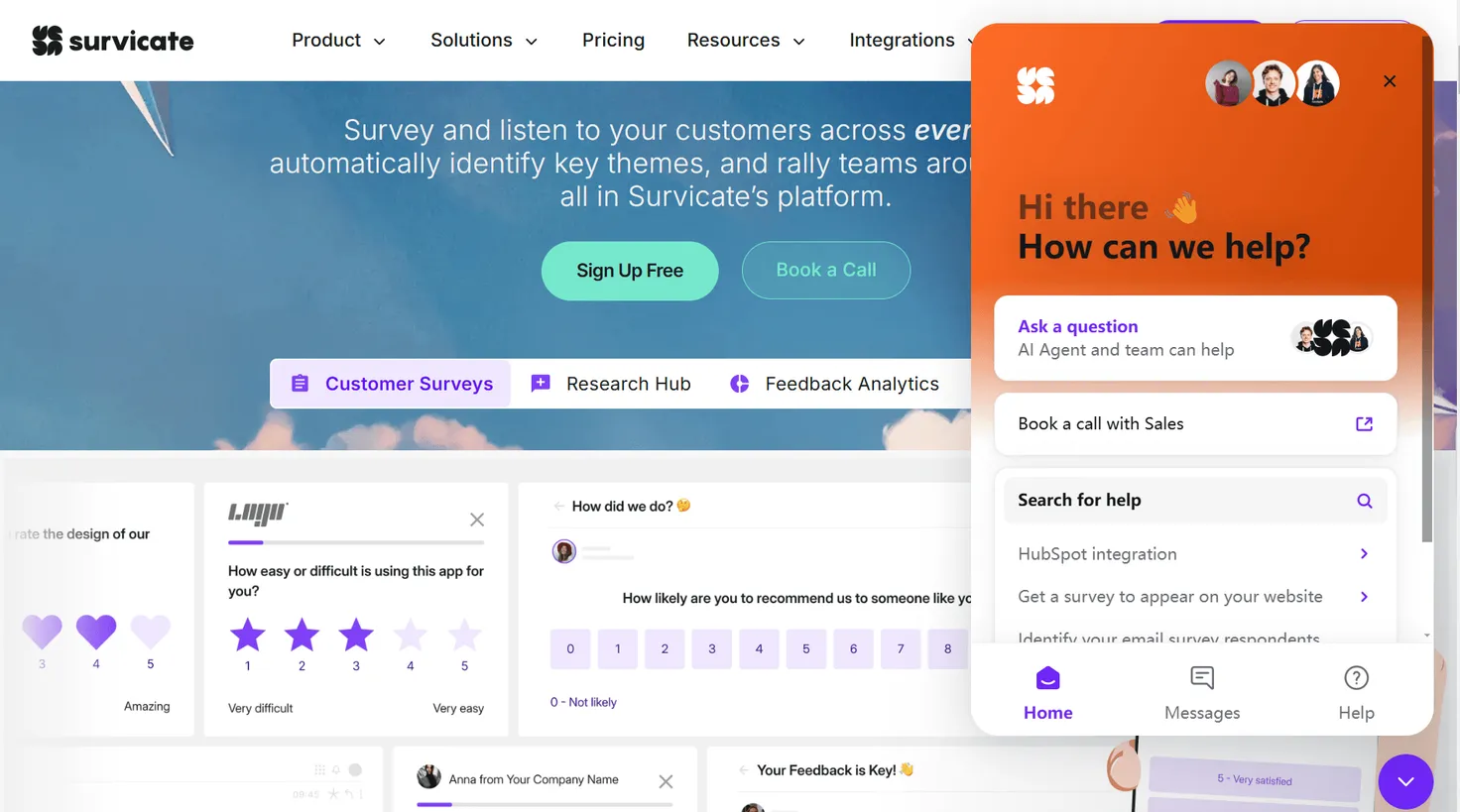
It supports website and in-product surveys, email and link surveys, mobile surveys and other distribution methods. Teams can use it for structured research while also keeping a feedback button available on the website for users who want to speak up on their own.
That combination matters.
A SaaS team might run a short survey after onboarding to measure the experience, launch another one around a new feature, and still keep an always-available feedback entry point for issues it did not think to ask about.
Survicate’s free account currently supports website and in-product surveys, branch logic, respondent identification and a website Feedback Button, although response limits apply. Paid plans expand the available targeting, customization and research capabilities.
Rather than treating feedback as a single form, Survicate makes more sense for teams that see surveys as an ongoing research channel.
Best fit: SaaS teams running continuous customer research, satisfaction measurement and targeted website or in-product surveys.
Pricing: Survicate offers a 10-day free trial, while its Growth plan currently starts at $114 per month when billed annually for 250 survey responses per month, with higher tiers and usage levels available as needs grow.
5. Featurebase — Best for Feature Requests and Feedback Voting
Feature requests create a different problem.
Collecting the initial suggestion is rarely difficult. The hard part begins when ten users ask for roughly the same thing in ten different ways, other customers want to vote for it, and the product team needs to decide whether it belongs on the roadmap.
Featurebase is better suited to this workflow than a traditional survey tool.
It combines feedback collection with feedback boards, roadmaps, updates and a broader support suite. Instead of treating each submission as an isolated response, teams can use the feedback system to build a visible space where requests accumulate and customers can participate in product development.
That makes Featurebase useful when the website feedback widget is effectively the entrance to a larger feature-request workflow rather than the entire system.
The product has expanded significantly beyond feedback in recent years, adding support conversations, AI agents, workflows and other customer-facing capabilities. That breadth can be useful for teams looking to consolidate tools, although teams that only need a lightweight feedback channel may not need the full suite.
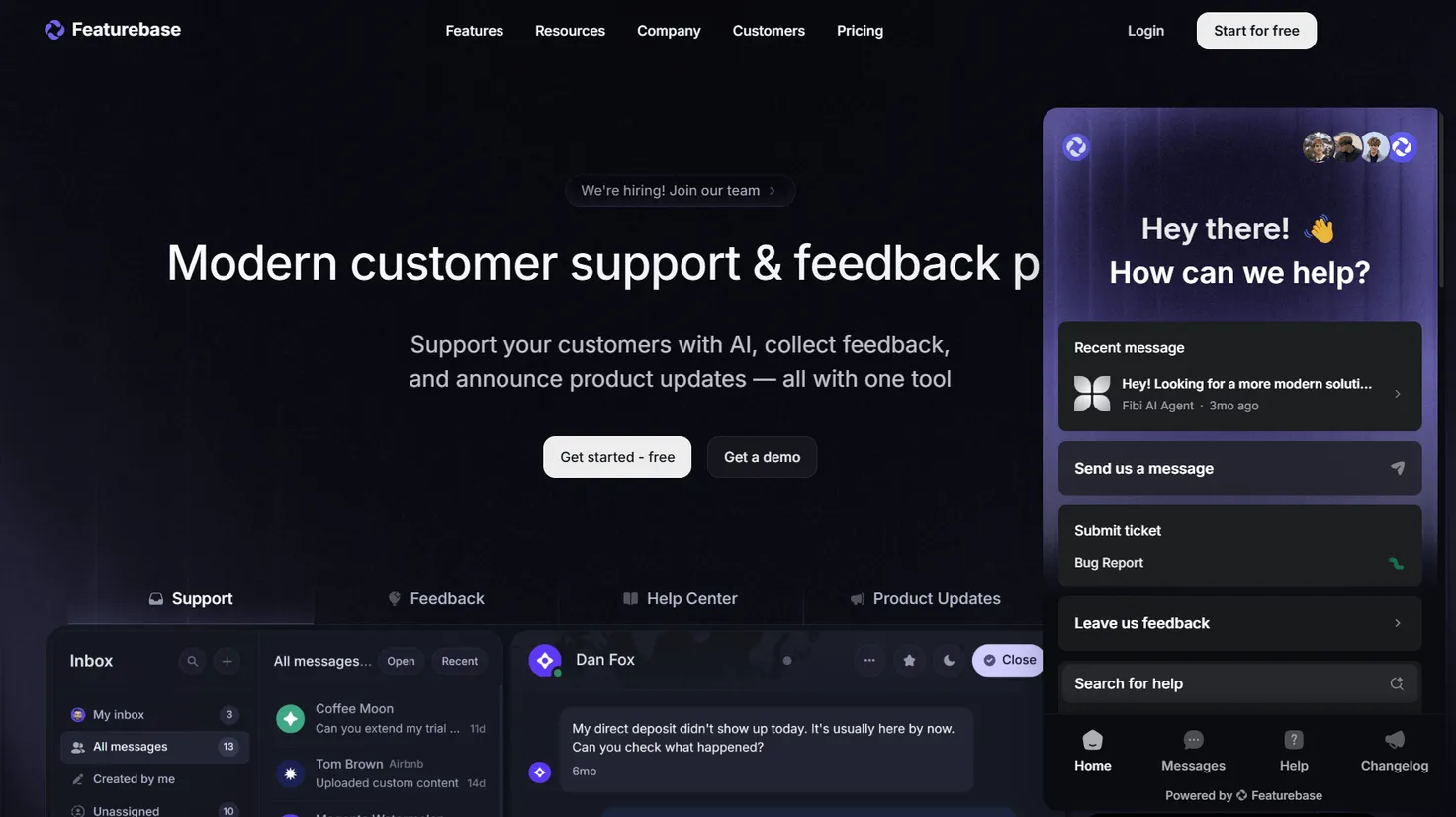
Best fit: SaaS teams that receive a steady stream of feature requests and want feedback collection, voting, roadmap communication and support workflows in one platform.
Pricing: Featurebase offers a free plan with one full seat, while Growth starts at $29 per seat per month when billed annually. All plans include unlimited feedback items, end users, survey responses, and support conversations.
6. Marker.io — Best for Website Bug Reporting and Developer Handoff
A user saying “the checkout page is broken” creates a very different task from a user asking for dark mode.
The second request belongs in product discovery. The first needs to reach someone who can reproduce and fix it.
Marker.io is built around shortening that handoff.
Users can report an issue directly from the website, capture and annotate the screen, and send the report with technical context attached. Marker.io can then connect that report to development and project-management tools rather than leaving the issue inside a separate feedback inbox.
The distinction between Marker.io and Usersnap is admittedly narrower than the other comparisons in this guide. Both support visual reporting. Marker.io earns its place here because its workflow is especially focused on website QA, bug reporting, UAT and getting issues into the tools development teams already use.
For agencies, web teams and SaaS products where feedback often means “something on this page is broken,” that focus can be more useful than a general-purpose customer feedback platform.
Best fit: Web development, QA, agency and product teams that need website bugs to arrive with enough technical and visual context for developers to act immediately.
Pricing: Marker.io offers a 15-day free trial, while its Starter plan starts at $39 per month when billed annually and includes unlimited feedback, three users, screenshots and annotations, environment details, and basic integrations.
Which Website Feedback Widget Should You Choose?
There is no single "best overall" feedback widget because different tools are designed to capture different kinds of user signals.
If most of your feedback arrives as product ideas that need clarification, FeedLog’s conversational approach is the more relevant model. If users need to show you exactly what looks wrong, Usersnap makes that visual context easier to capture. Qualaroo fits situations where the product team wants to ask a very specific question at a specific point in the journey, while Survicate is better suited to a broader, ongoing survey program.
Featurebase makes sense once feature requests need to become a shared voting and roadmap process. Marker.io is the specialist choice when the thing being reported is less “feedback to consider” and more “website issue to fix.”
That distinction matters more than the number of features in a pricing table.
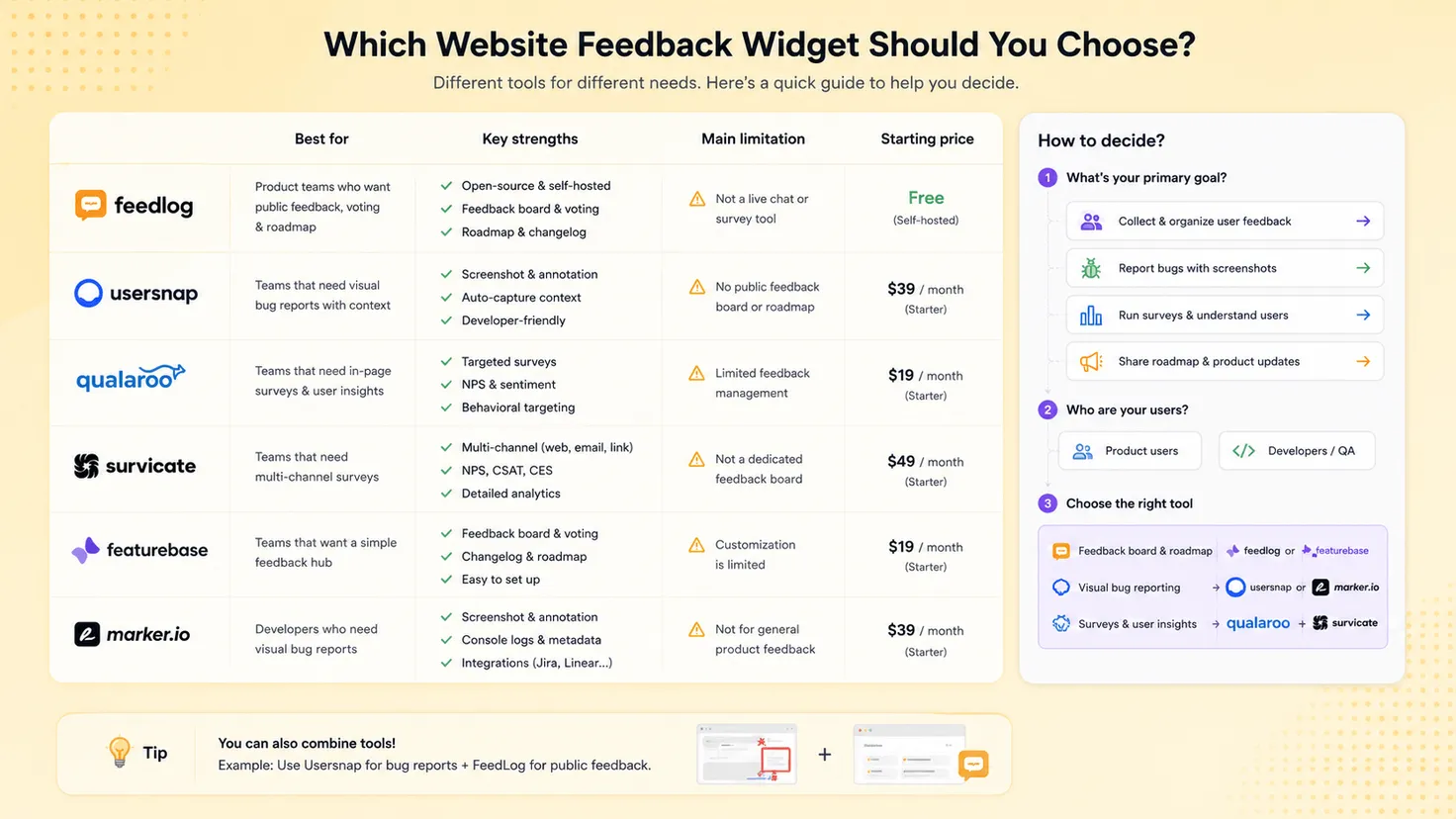
Before choosing a tool, take ten or twenty real feedback messages your team has received recently and ask: what information was missing when we received these?
If the answer is “we couldn't see the problem,” prioritize visual context. If it is “we didn't understand why the user wanted this,” prioritize clarification. If it is “we have no idea how many customers want the same thing,” prioritize voting and organization. If it is “we don't know why users abandon this page,” prioritize contextual surveys.
The best tool is usually the one that fixes the information gap you already have.
Website Feedback Widgets Are Moving Beyond Forms
For years, the basic model barely changed.
A user clicked a button, selected a category, filled in a text field and pressed Submit. Product teams then received exactly what the user typed—for better or worse.
The first big improvement was context. Modern tools can capture screenshots, browser information, page URLs, user segments and behavioral data. That reduced the amount of manual back-and-forth needed to understand where feedback came from.
AI is beginning to change another part of the process: the quality of the feedback itself.
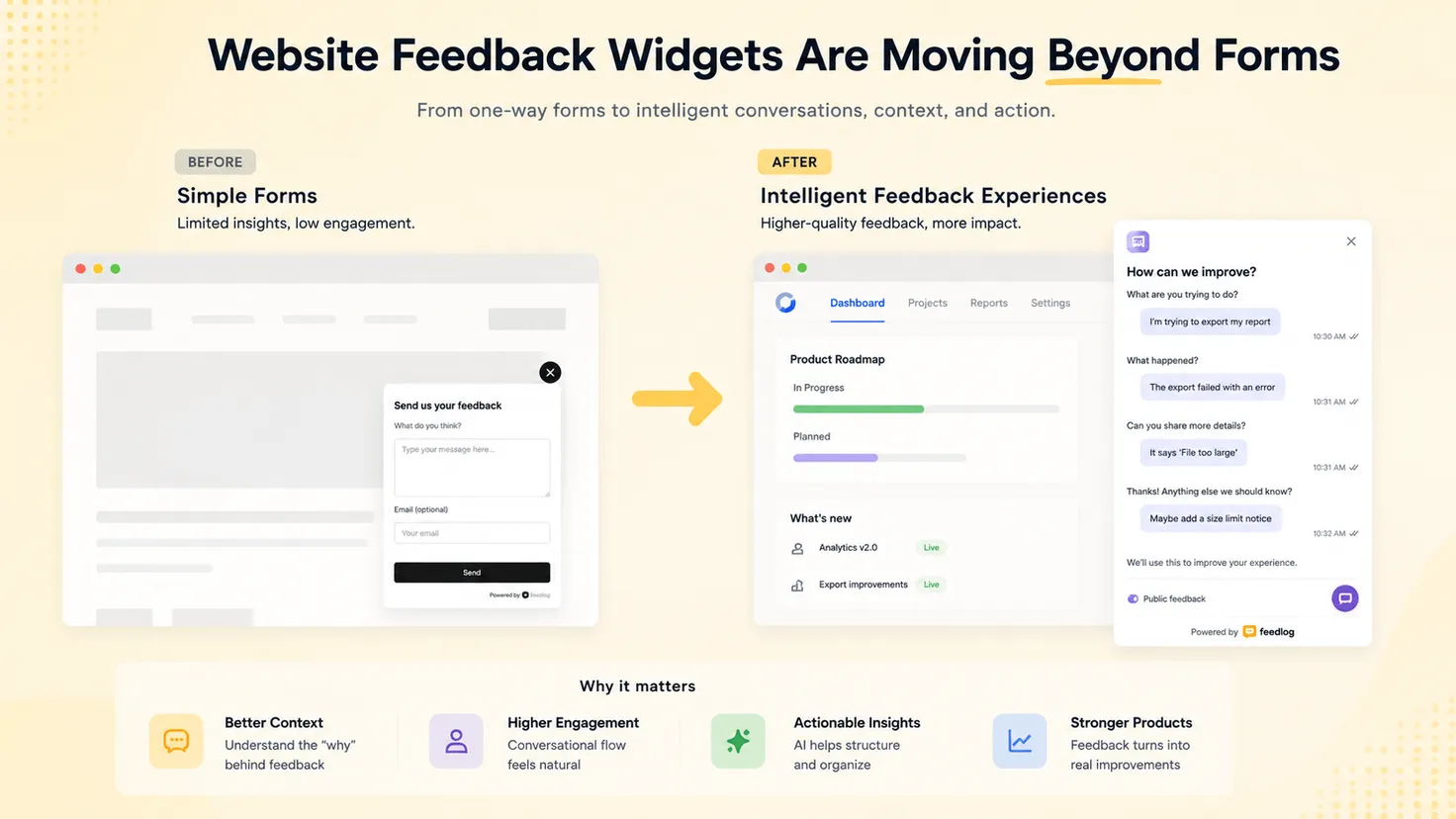
A form can only ask the questions someone designed in advance. A conversation can react to what the user actually says.
If a user writes “I need better reports,” the useful next question depends on what “better” means to that person. They might need scheduled reports, PDF exports, custom metrics, client-facing dashboards or something else entirely.
This is where a conversational website feedback widget starts to become more than a collection box. Instead of simply lowering the friction of submission, it can help users provide enough context for the team receiving the feedback to understand the underlying problem.
That does not make surveys, screenshots or voting obsolete. They solve different problems.
What is changing is the expectation that collecting feedback is the end of the job.
A useful Customer Feedback Loop continues after submission: feedback has to be understood, organized, evaluated, acted on, and eventually closed with the user. The widget is simply the first interface in that larger process.
Frequently Asked Questions
What is a website feedback widget?
A website feedback widget is an embedded interface that lets visitors or users provide feedback without leaving the website or application they are using. Depending on the tool, it may collect text, ratings, survey responses, screenshots, screen recordings, feature requests or conversational feedback.
What is the best website feedback widget for SaaS?
It depends on the feedback you need. FeedLog is suited to conversational product feedback, Usersnap to visual feedback, Qualaroo to contextual micro-surveys, Survicate to ongoing survey research, Featurebase to feature requests and voting, and Marker.io to website bug reporting.
Choosing based on your primary feedback use case is usually more useful than looking for the tool with the longest feature list.
What is the difference between a feedback widget and a survey?
A survey is usually designed around questions the business wants answered. A feedback widget can also be user-initiated, allowing customers to report something when they encounter a problem or have an idea.
The categories overlap. Tools such as Qualaroo and Survicate can deliver surveys through widgets, while tools such as Usersnap and Marker.io focus more heavily on visual or issue-based feedback.
Where should you place a feedback widget?
For general product feedback, a persistent launcher in a consistent corner of the interface keeps the channel available without interrupting the main workflow. Context-specific feedback can work better close to the interaction being evaluated—for example, below an AI-generated answer or beside a newly released feature.
Placement should follow the moment when users are most likely to have useful context, rather than simply the place with the most visibility.
Can AI improve website feedback collection?
Yes, but “AI-powered” can mean very different things. Some tools use AI after collection for sentiment analysis, summaries or categorization. Others use AI earlier in the process to help create surveys or clarify what a user means.
For product teams, the second use case is particularly interesting because one of the hardest problems in feedback management is not collecting more responses—it is turning incomplete user comments into enough context to make a good product decision.
Final Thoughts
A website feedback widget should make it easier for users to speak up, but low submission friction is only half the job.
The more useful question is what your team receives on the other side.
A screenshot may be exactly what an engineer needs to fix a visual bug. A one-question survey may explain why visitors leave a pricing page. Voting can reveal how widely a feature request is shared. And when a user's first message is vague, a short conversation may uncover the problem behind the request.
Start with the feedback your team struggles to understand today. Then choose the widget that captures the missing context—not simply the one that collects the most data.