 Ethan ColeLast Modified: Jul 14, 2026
Feature Requests: How to Triage, Prioritize, and Ship




"Can you add a dark mode?"
"Any chance of a Slack integration?"
"It'd be great if this exported to CSV."
If you're building a product, requests like these pile up fast — and early on, you can hold them all in your head. Then you can't.
The problem was never collecting them. It's that feature requests behave differently from other feedback: the same idea shows up ten times in ten different ways, each one needs a yes / no / later decision, and every request competes for the same handful of roadmap slots. Lose track of that, and the users who cared enough to ask quietly stop asking.
A feature request tool is what keeps that from happening. This post breaks down what one actually does — and how to triage, prioritize, and close the loop on requests without burying your team in process.
What Is a Feature Request Tool?
A feature request tool is a dedicated place to collect, organize, and act on the "can you build X?" ideas your users send you. Instead of scattering across email, chat, and your own memory, those ideas land on one board — where users post them, vote on the ones they want most, and see what you've actually decided to do.
That last part is the point. A feature request tool isn't just an inbox; it's the layer that turns raw requests into product decisions and then tells the requester what happened. Collect, prioritize, ship, notify. (It's one slice of the broader customer feedback tool category — the slice focused specifically on what to build next.)

How It Differs From a Bug Tracker or Support Inbox
It's tempting to dump all user input into one pile, but feature requests don't behave like the other things hitting your inbox:
- A bug report is binary — something's broken, you fix it, it's closed. Nobody votes on whether a crash deserves attention.
- A support ticket is one-to-one and urgent — one user is blocked now; once they're unblocked, it's done.
- A feature request is one-to-many and forward-looking — the same idea arrives from fifty users, competes with every other idea for a roadmap slot, and may sit "planned" for months before it ships.
That's why bug trackers and helpdesks make poor feature request tools: they're built to close tickets, not to weigh a hundred open ideas against each other and keep everyone in the loop while you decide.
Why Feature Requests Need Their Own Workflow
Most teams start by pointing feature requests at whatever's already open — a spreadsheet, a Notion doc, a Slack channel, or the same board they use for bugs. None of these is a feature request tool, and it shows: it works for the first twenty, then quietly falls apart around the two-hundredth, for two reasons specific to how requests behave.

They Pile Up as Duplicates and Near-Duplicates
The same idea almost never arrives the same way twice. "Add dark mode," "is there a night theme?" and "the UI is too bright at night" are one request wearing three outfits. In a plain list they become three separate entries — three small piles instead of one obvious priority.
That's not cosmetic. It actively hides demand: one feature fifty people want can look like five separate requests with ten votes each, so none of them climbs to the top. Multiply that across a few hundred requests, and your "most wanted" list is quietly lying to you. Catching and merging these near-duplicates is the first real job of a feature request tool — more on that next.
Popularity Isn't the Same as Priority
Even after you dedupe, a raw vote count only tells you how many people asked — never why. Two requests can both sit at forty votes and mean completely different things: one is a nice-to-have a crowd shrugged "sure" at, the other blocks a workflow a smaller group can't work around. The number looks identical; the priority isn't.
What separates them lives in the request itself — the description, and the back-and-forth in the comments where people explain what they're actually trying to do. A feature request tool earns its keep by keeping that discussion attached to each request, so "what's popular" and "what's worth building" don't get confused. (We've written before about why votes alone rarely tell the full story.) And that only works if the count is honest to begin with — which is why merging duplicates comes first.
How to Triage Incoming Feature Requests
Triage is the ten minutes of work that decides whether your board stays useful or turns into a junk drawer. Every new request needs a couple of quick calls before it's allowed to just sit there collecting votes.

Merge Duplicates Before They Fragment
The highest-leverage triage move is catching duplicates early — ideally before the person even hits submit. The better feature request tools do this with semantic search: as someone types "dark theme," the tool surfaces the existing "Add dark mode" post and nudges them to vote on it instead of opening a fifth thread. When a duplicate does slip through, merging it should add its votes and comments to the original instead of deleting them, so the surviving post reflects its real demand.
This is where a dedicated feature request tool pulls ahead of a spreadsheet: the sheet will happily hold ten copies of the same idea and never once tell you they're the same.
Route It to the Right Place — and Give It a Status
Not everything filed under "feature request" actually is one. A crash is a bug; "your docs are confusing" is a support or content issue. Part of triage is moving each item to the board where it'll actually get handled, so genuine requests aren't buried under bug reports.
Then give it a status — even a rough one: Open, Planned, In Progress, Completed. A status is a tiny promise. It tells the person you saw their request and where it stands. A request with no status is indistinguishable from one nobody read — and that's exactly how you train users to stop submitting.
How to Prioritize Feature Requests
The trap here is over-engineering it. Search "how to prioritize feature requests" and you'll drown in RICE scores, weighted matrices, and eight-column spreadsheets. For a big org with a dedicated PM, sure. For a small team shipping every week, a scoring model you have to maintain becomes its own backlog. You don't need a formula — you need two or three honest signals and the nerve to make a call.

Start With Demand — Once the Count Is Honest
Vote count is the fastest read on demand, and now that duplicates are merged, it's finally telling the truth. Sort by top-voted and you've got a rough shortlist in seconds. Just hold onto what we said earlier: the number tells you how many, not why. It's a starting point, not a verdict.
Let the Discussion Break the Ties
When two requests are close on votes, the tiebreaker isn't a bigger number — it's the reasoning under it.
Open the thread. Ten people describing the same painful workaround is a very different signal from forty who just clicked upvote and moved on. The comments are where "popular" becomes "worth building." And that's exactly why keeping the discussion attached to each request beats any score.
Weigh It Against Where the Product Is Going
The last filter is the one no feature request tool can automate: does this fit the direction you've already committed to? A wildly popular request that drags you off your roadmap can be the wrong yes. Prioritizing isn't just ranking demand — it's choosing which demand you'll actually serve. Keep the shortlist short, move a handful onto the roadmap, and let the rest keep collecting votes until they earn their way up.
From Request to Roadmap: Closing the Loop
Everything up to here — collecting, merging, prioritizing — is invisible to the person who made the request. As far as they can tell, they typed an idea into a box and it vanished. Closing the loop is the part they actually see, and it decides whether they ever bother to send a second one. The good news: with a feature request tool, once a request is prioritized, closing the loop is mostly mechanical.

Put Accepted Requests on a Public Roadmap
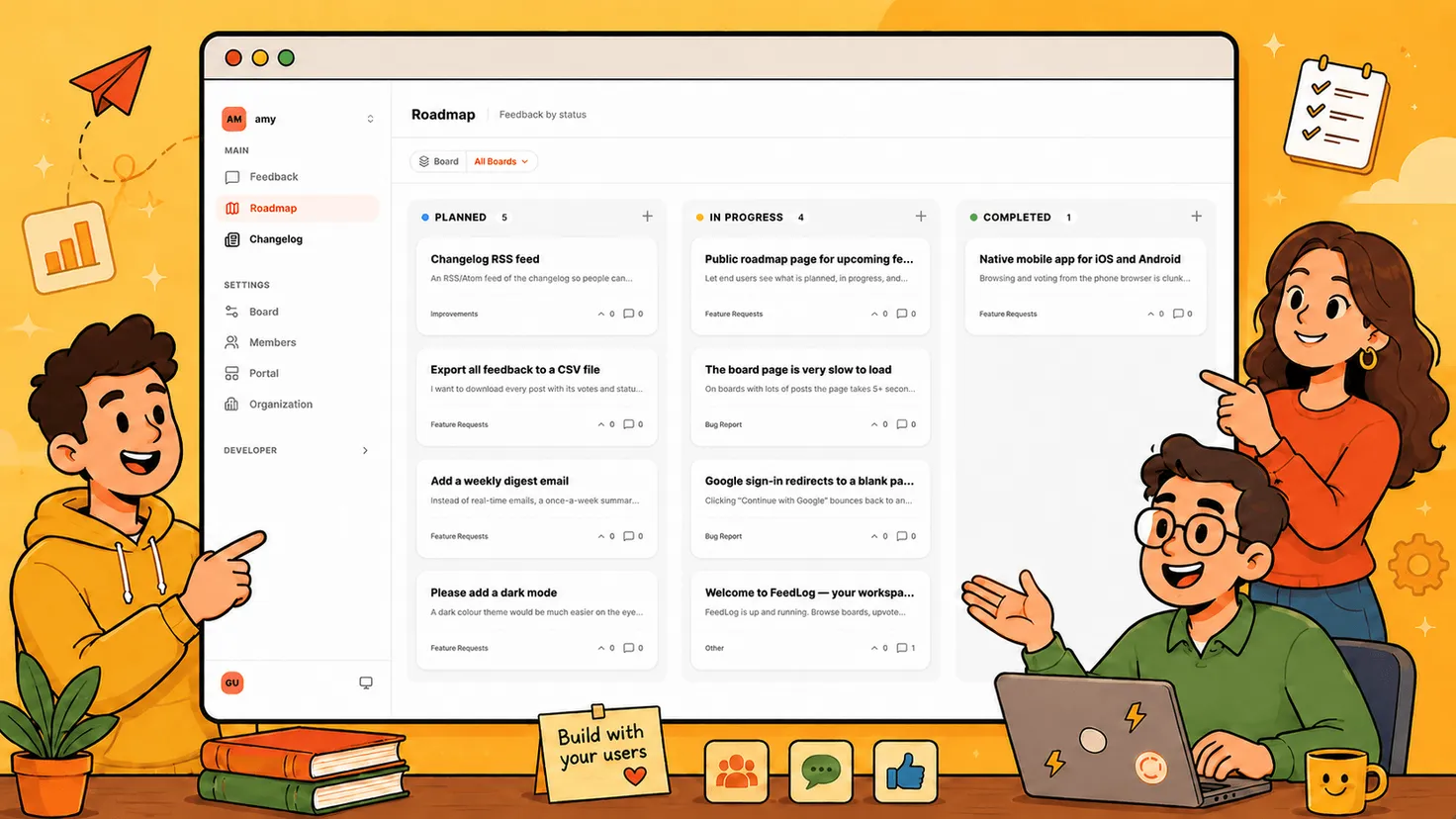
The moment you decide to build something, move it onto a roadmap the requester can see — Planned, then In Progress. This does two jobs at once: it tells the people who asked that their request made the cut, and it tells everyone else what's coming without you answering "are you going to build X?" fifty times. A public roadmap turns your prioritization calls into a status page that updates itself.
When You Ship, Tell the People Who Asked
This is the step almost everyone skips, and the one that pays off most. When the feature ships, don't just tweet it — close the loop back to the original request. The clean version: publish a changelog entry, link it to the request it came from, and everyone who voted on that request gets notified automatically. The user who typed "add dark mode" four months ago gets told the thing they asked for is live. That's the moment a casual user turns into someone who keeps sending you feedback because they've seen, firsthand, that it goes somewhere.
A "No" Still Needs an Answer
Most requests won't get built, and that's fine — as long as you say so. A request you'll never ship shouldn't sit at "Open" forever, quietly implying maybe someday. Leave a short reply with the reasoning — off-roadmap, conflicts with X, too few people need it—and update its status so it reads as resolved, not ignored. People rarely churn because you declined an idea; they churn because they never found out what happened to it. A graceful no protects the loop as much as a yes does.
How FeedLog Handles Feature Requests
Everything above works in any feature request tool — or no tool, if you enjoy maintaining a spreadsheet. We built FeedLog so we'd stop having to. It runs the same four steps:
- Capture and vote. Requests land on a public board where users post, upvote, and discuss in threaded comments — so the why stays attached to every request, not just the count.
- Merge duplicates automatically. As someone types a new request, semantic search surfaces existing posts and nudges them to vote instead. When duplicates slip through, merging rolls their votes together so your counts stay honest.
- Move it onto the roadmap. Accepted requests go onto an interactive public roadmap — Open, Planned, In Progress — so requesters can watch their idea move.
- Close the loop on ship. Publish a changelog entry, link it back to the original request, and everyone who voted gets notified automatically. (An AI assistant will draft the release note in your product's voice, if you'd rather not.)
The whole thing is open-source and self-hostable — deploy to Cloudflare or Vercel, bring your own Postgres, with AI features built in and free. Or start on FeedLog Cloud in about 30 seconds if you'd rather not touch a server. Either way, your feedback data stays yours.
Conclusion
The teams that are good at feature requests aren't the ones with the most elaborate scoring model. They're the ones where a request doesn't disappear. There, "add dark mode" gets merged with its four duplicates, weighed against what's actually shipping next, and, if it makes the cut, followed all the way to a changelog entry that tells the person who asked.
That's the real job of a feature request tool: not to collect more ideas, but to make sure the good ones visibly go somewhere. Do that consistently and something compounds quietly he — users who watch their request turn into a shipped feature are the same ones who keep sending you the next one.
You don't need heavy process to get there. You need one place to collect requests, a fast way to cut the duplicates, and the discipline to close the loop. The rest is just shipping.