 Chloe HartLast Modified: Aug 13, 2026
Feedback Widget for SaaS: Collect Actionable Feedback




User feedback rarely arrives at the perfect moment, in the perfect format.
A user runs into a confusing workflow and sends you a two-line email. Another reports a bug in Discord. Someone else asks for a feature in a support chat. And many users simply close the page and move on.
For SaaS teams, the problem isn't always a lack of feedback. Sometimes, the real problem is the friction between experiencing an issue and telling the product team about it.
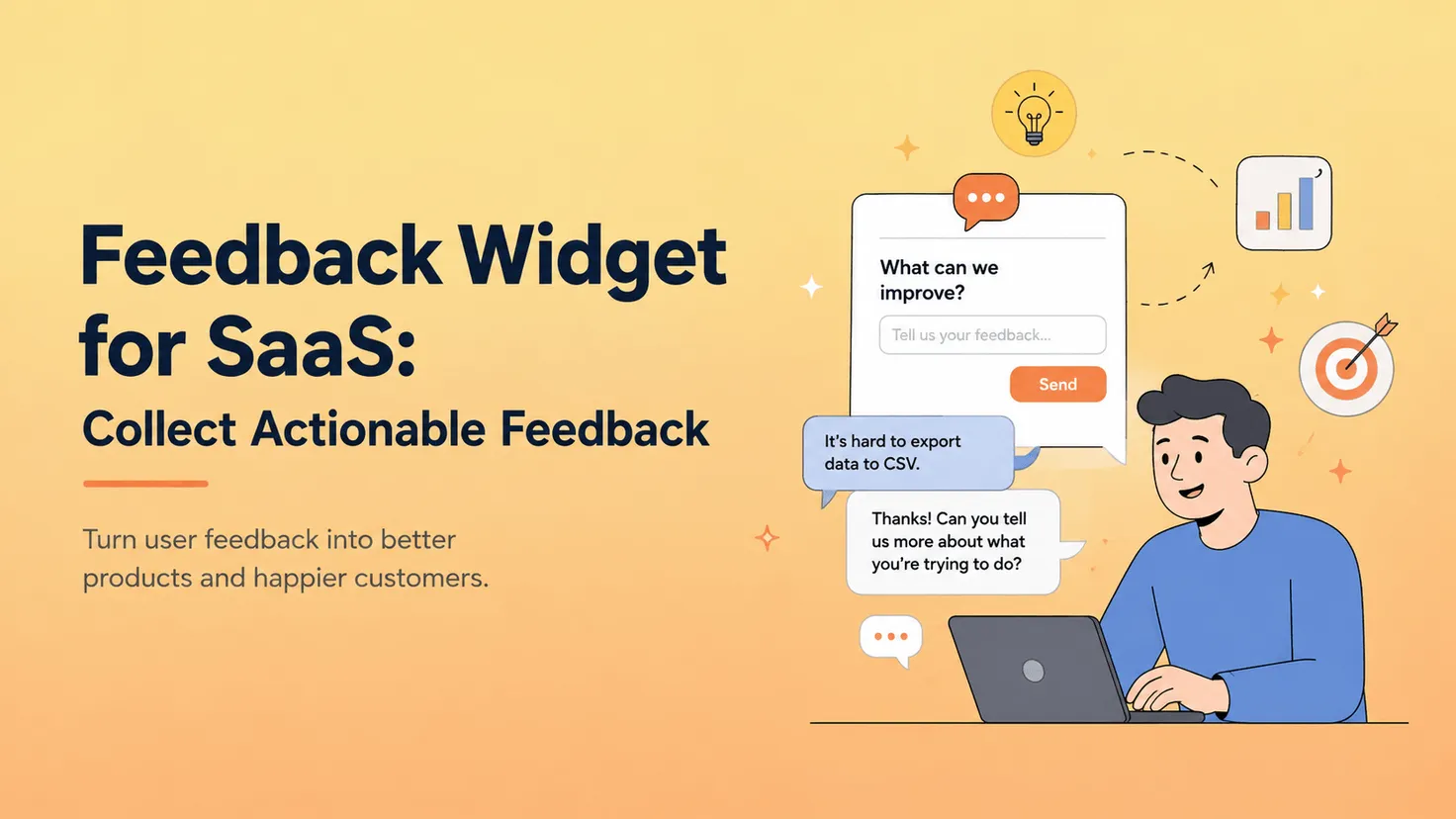
That's where a feedback widget comes in.
Instead of asking users to leave your product, find a support email, or open another platform, a feedback widget gives them a place to share an idea, problem, or request while they're still using your product.
But making feedback easier to submit doesn't automatically make it more useful.
"This doesn't work."
"Please add dark mode."
"Export is annoying."
These are all real pieces of user feedback. But for a product team trying to decide what to build next, they leave a lot of unanswered questions.
A modern feedback widget needs to do more than collect comments. It should help turn those comments into feedback your team can actually understand and act on.
What Is a Feedback Widget?
A feedback widget is a small interface embedded directly into a website or application that lets users submit feedback without leaving the page they're on.
It commonly appears as a floating button, tab, panel, or pop-up. When users click it, they can report a problem, suggest an improvement, request a feature, or share their experience.
For a marketing website, a website feedback widget might collect opinions about content, navigation, pricing pages, or usability.
Inside a SaaS application, the use case is usually more product-focused. Users might report bugs, describe friction in a workflow, or suggest features they wish existed.
You'll also see related terms such as:
- In-app feedback widget
- User feedback widget
- Product feedback widget
- Feedback button
- Feedback form
- Customer feedback widget
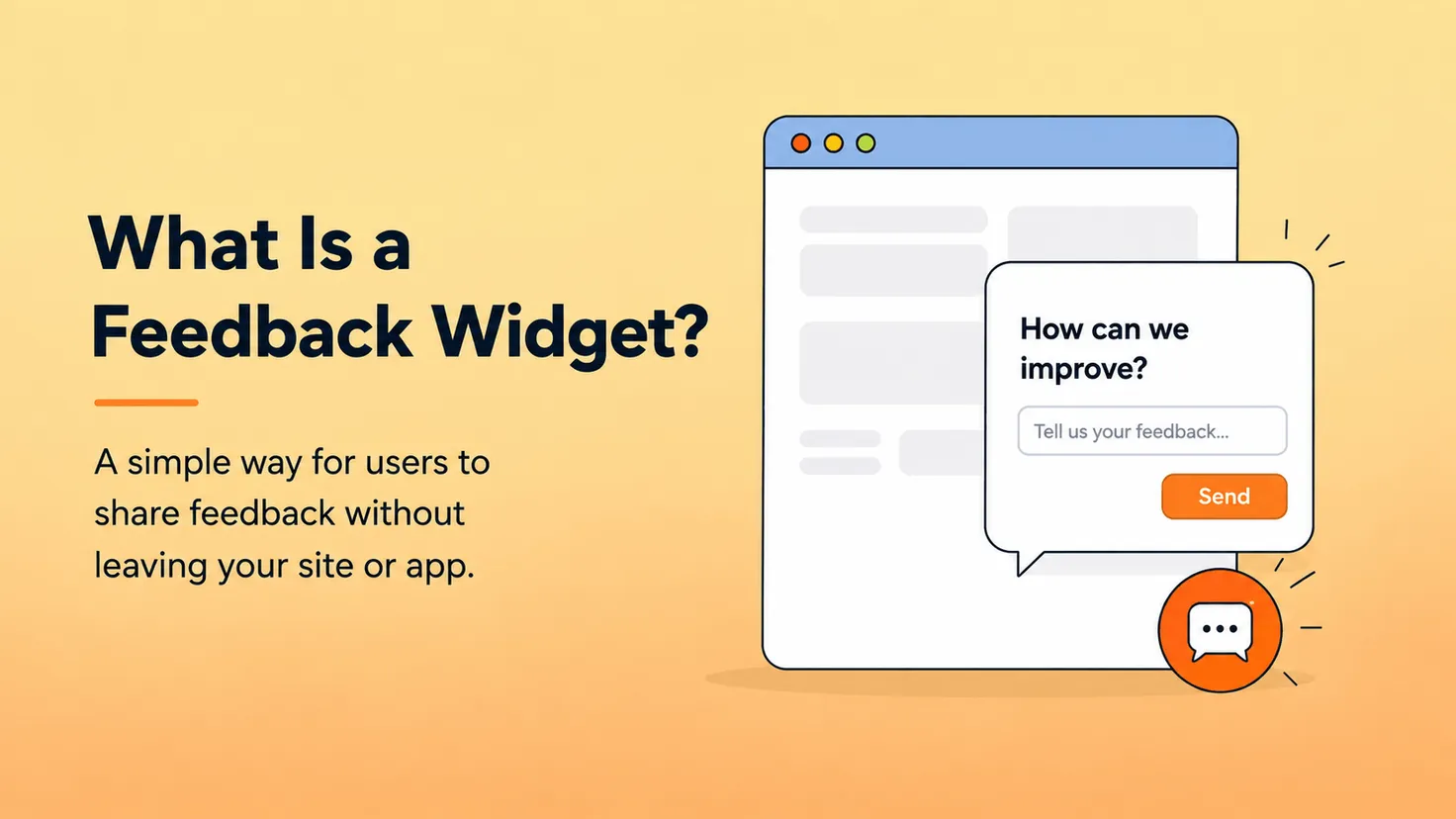
The interfaces may look different, but the important idea is the same: reduce the distance between having feedback and sharing feedback.
That matters because feedback is highly contextual.
If someone has just failed to export a report, that's probably the best time to ask what went wrong. If you ask them three days later through an email survey, much of that context may already be gone.
A feedback widget keeps the feedback channel closer to the actual product experience.
Why SaaS Products Need a Feedback Widget
SaaS teams usually have no shortage of ways to communicate with users.
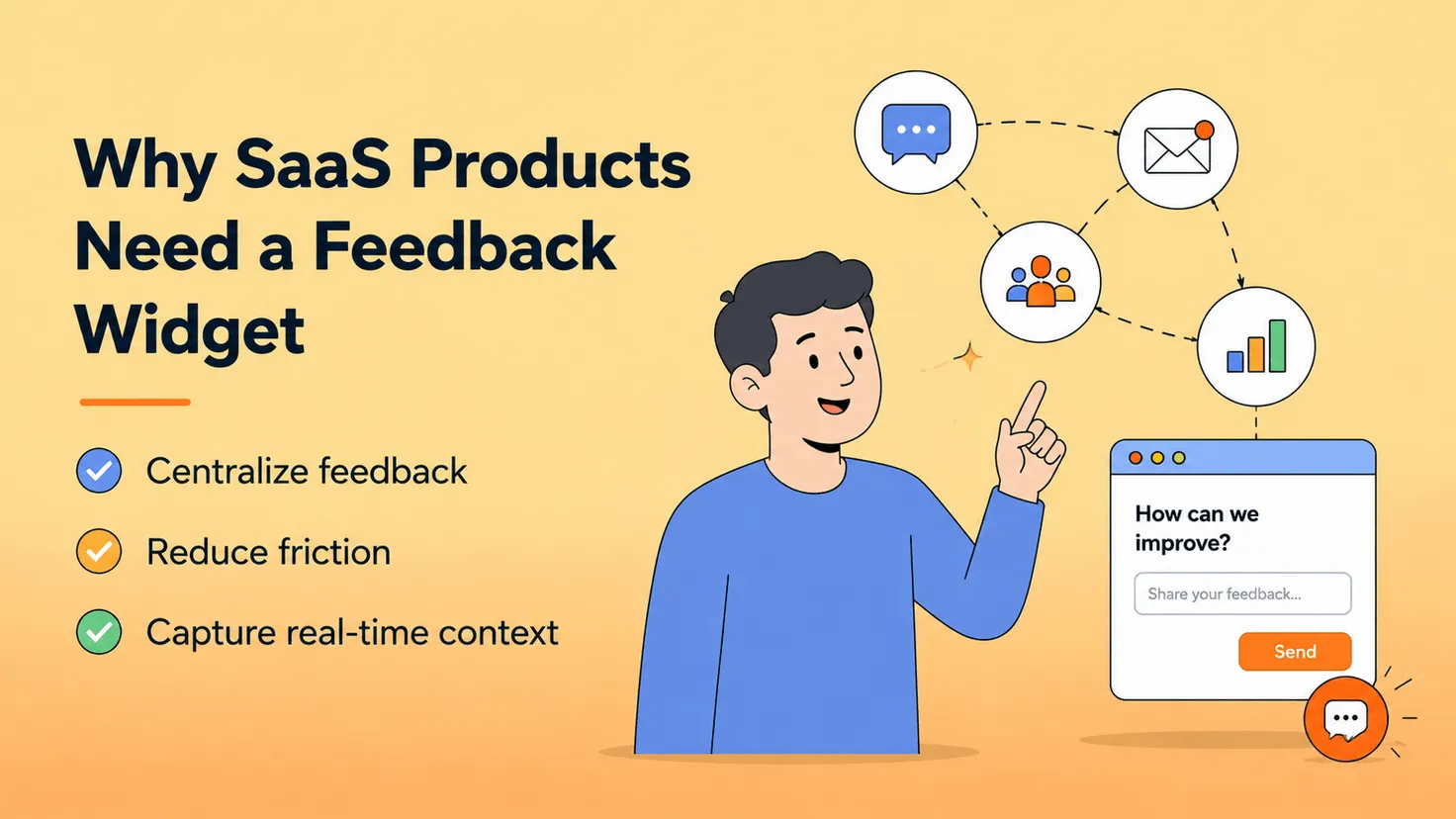
Email, Discord, Slack communities, live chat, support tickets, social media, sales calls, and customer interviews can all produce useful insights.
The problem is that none of them necessarily creates a consistent feedback workflow.
Feedback Gets Scattered Across Channels
Imagine ten users requesting the same feature.
Two mention it in Discord.
Three send emails.
One tells your customer success team.
Another comments on social media.
Three use live chat.
From the users' perspective, they've all given feedback.
From the product team's perspective, you may have five different conversations stored in five different places.
Someone eventually needs to recognize that these users are describing the same underlying need.
A feedback widget gives the product a consistent place where that feedback can start.
Most Users Won't Go Out of Their Way to Give Feedback
The more steps you add, the fewer users will complete the process.
If someone has to leave your application, search for your contact information, write an email, and explain what happened from scratch, there's a good chance they'll decide it isn't worth the effort.
An in-app feedback widget reduces that friction.
The user is already inside your product. They encounter something worth mentioning, open the widget, explain it, and continue what they were doing.
Context Disappears Quickly
Timing matters.
Consider these two situations.
A user is currently trying to export a file and tells you:
"I can't export this."
Or you email them two days later asking:
"Did you experience any problems using our product?"
The first conversation starts with context. The second asks the user to reconstruct it.
For product feedback, the best time to listen is often when the user is actually experiencing the problem.
Why Most Feedback Widgets Still Collect Vague Feedback
Feedback widgets solve an important question:
Can users leave feedback easily?
That's valuable, but it doesn't completely solve another question:
Can your team understand what the user actually needs?
Suppose someone submits:
"Please add dark mode."
You now have a feature request.
But you still don't know why they need it.
Are they working at night? Is the current interface causing eye strain? Do they want dark mode across the entire application or only in a particular editor?
Or consider:
"Export doesn't work."
Is that a bug?
Maybe.
But perhaps exporting technically works and the user actually needs CSV instead of PDF.
Another user might write:
"Can you make this easier?"
That's valuable feedback too, but what does "this" refer to? Which step is difficult? What were they trying to accomplish?
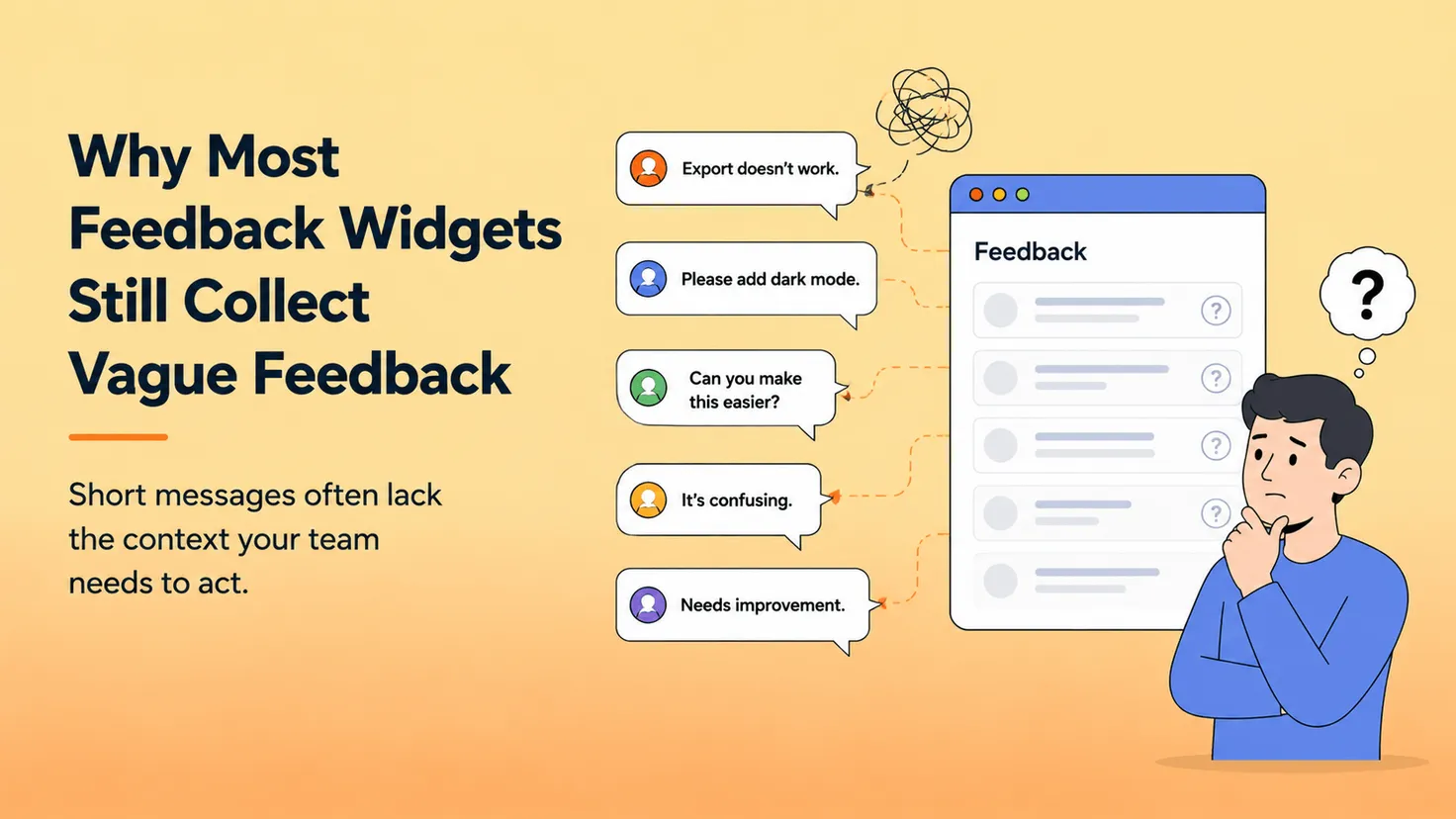
A simple feedback form can capture the sentence, but someone on your team still has to investigate the meaning behind it.
This creates an overlooked type of work in feedback management: the back-and-forth required to turn vague comments into useful product context.
You ask a follow-up question.
The user replies the next day.
You ask another.
They don't reply.
The original feedback remains on your board, but your team still doesn't fully understand it.
That's why a good feedback widget shouldn't only reduce the friction of submitting feedback.
It should also reduce the friction of understanding feedback.
What Makes User Feedback Actionable?
"Actionable feedback" doesn't mean every user request should become a feature.
It means the feedback contains enough context for your team to understand the problem and make an informed decision.
Useful product feedback often answers a few important questions.
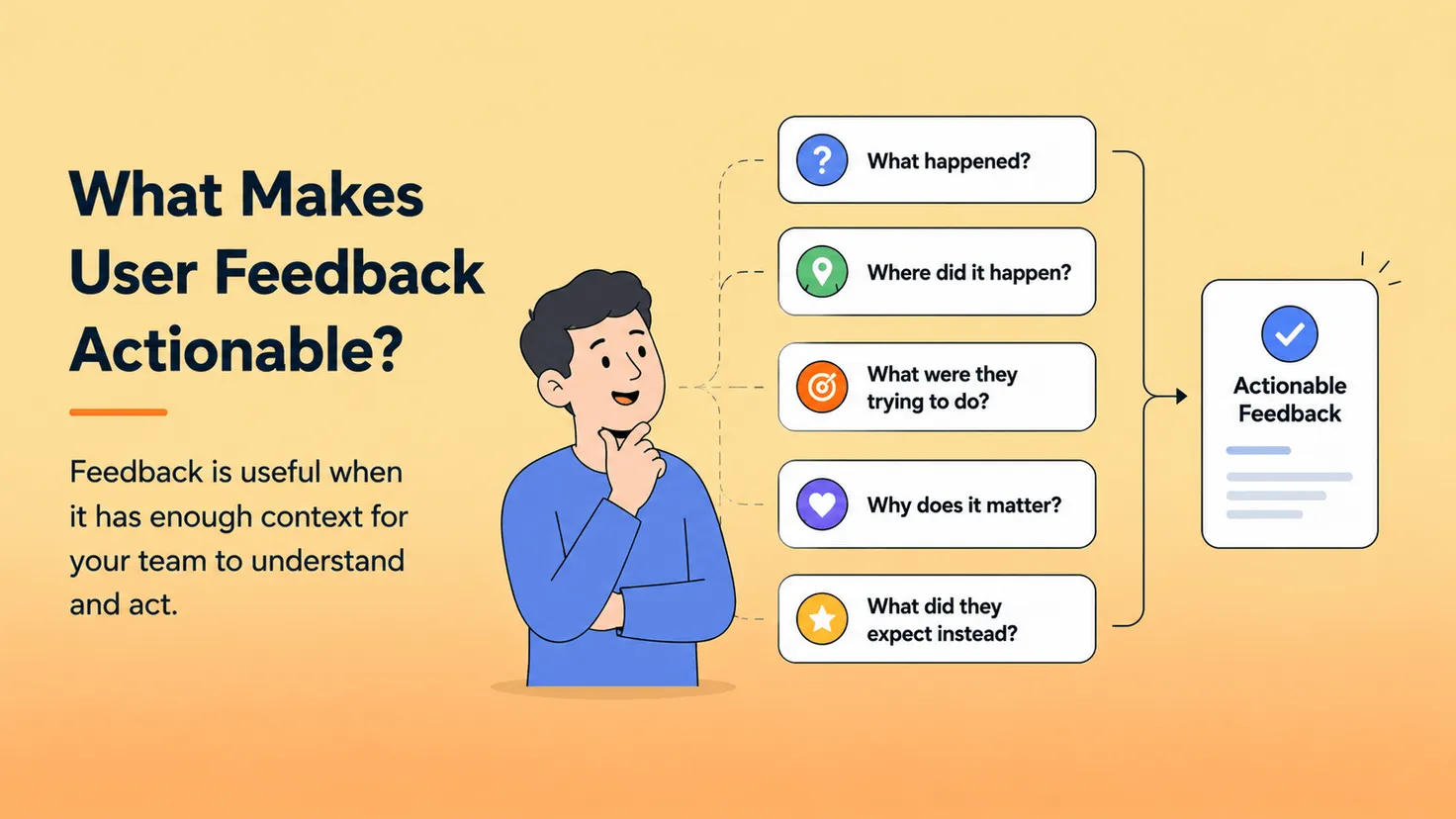
What happened?
What did the user actually experience?
Where did it happen?
Which feature, page, or workflow were they using?
What were they trying to do?
The user's desired outcome is often more important than the solution they initially request.
A request for "a new export feature," for example, may actually come from a need to analyze product data in another tool.
Why does it matter?
Is this a small inconvenience, a recurring frustration, or something preventing the user from completing an important task?
What did they expect instead?
The difference between the expected and actual experience can reveal the real product problem.
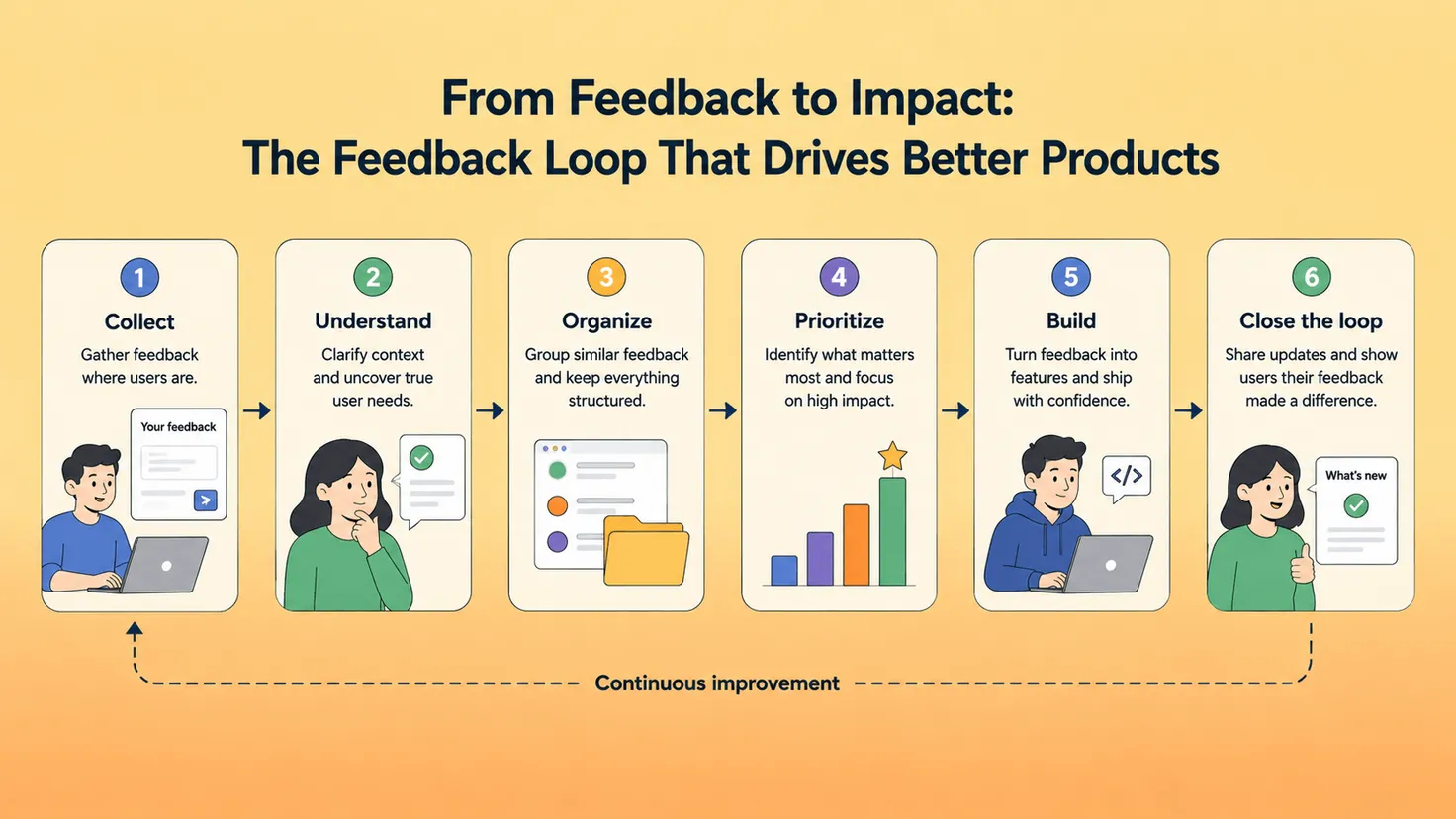
This is also why collecting feedback is only one part of a healthy Customer Feedback Loop.
The broader workflow looks more like:
Collect → Understand → Organize → Prioritize → Build → Close the loop
If your process stops at "Collect," you've created a feedback inbox, not a feedback loop.
From Feedback Forms to AI Conversations
Most feedback forms follow a simple workflow:
User → Form → Submit
Sometimes that's enough.
If a user can clearly explain a bug or feature request, there's no reason to make the process complicated.
But when feedback is vague, a conversational approach can help.
Consider this example.
A user opens a feedback widget and says:
User: Export isn't working for me.
A traditional form might save that sentence and create a new bug report.
An AI-powered feedback widget can continue the conversation:
AI: What are you trying to export?
The user responds:
User: Customer feedback from this month.
The AI can clarify further:
AI: Which format do you need?
User: CSV. I want to analyze it in Excel.
Now the original statement — "Export isn't working" — looks different.
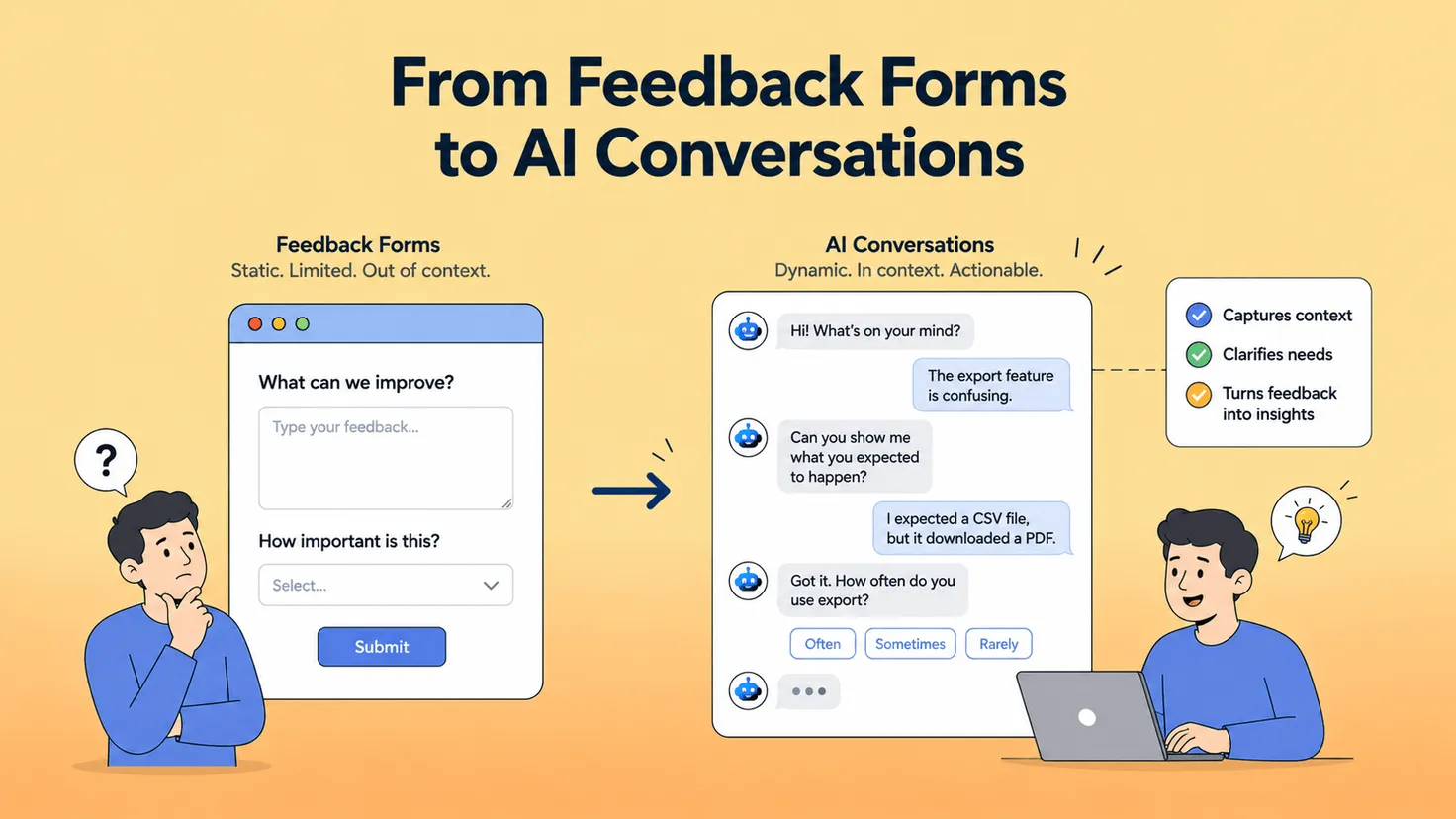
The problem may not be that export is broken at all. The user may actually be requesting support for another export format.
The resulting feedback could be summarized as:
Feature Request: Support CSV export for monthly feedback dataThe user needs to export monthly customer feedback as CSV so the data can be analyzed in Excel.
That's significantly more useful than the original sentence.
AI isn't valuable here simply because it can generate text.
It's useful because it can ask some of the questions a product manager would otherwise need to ask manually.
And unlike an asynchronous email exchange, those questions can be asked while the user still remembers exactly what they were trying to accomplish.
How FeedLog Turns Conversations Into Actionable Feedback
FeedLog is an open-source feedback management platform for SaaS teams, combining an AI-powered feedback widget with public feedback boards, voting, duplicate management, roadmap, and changelog.
Instead of requiring users to understand your internal categories or write a perfectly structured feature request, the widget lets them start by describing the problem in their own words.
If the initial message doesn't contain enough context, AI can continue the conversation with follow-up questions.
The goal isn't to make users fill out a longer form disguised as a chatbot.
It's to understand what they're actually trying to accomplish.
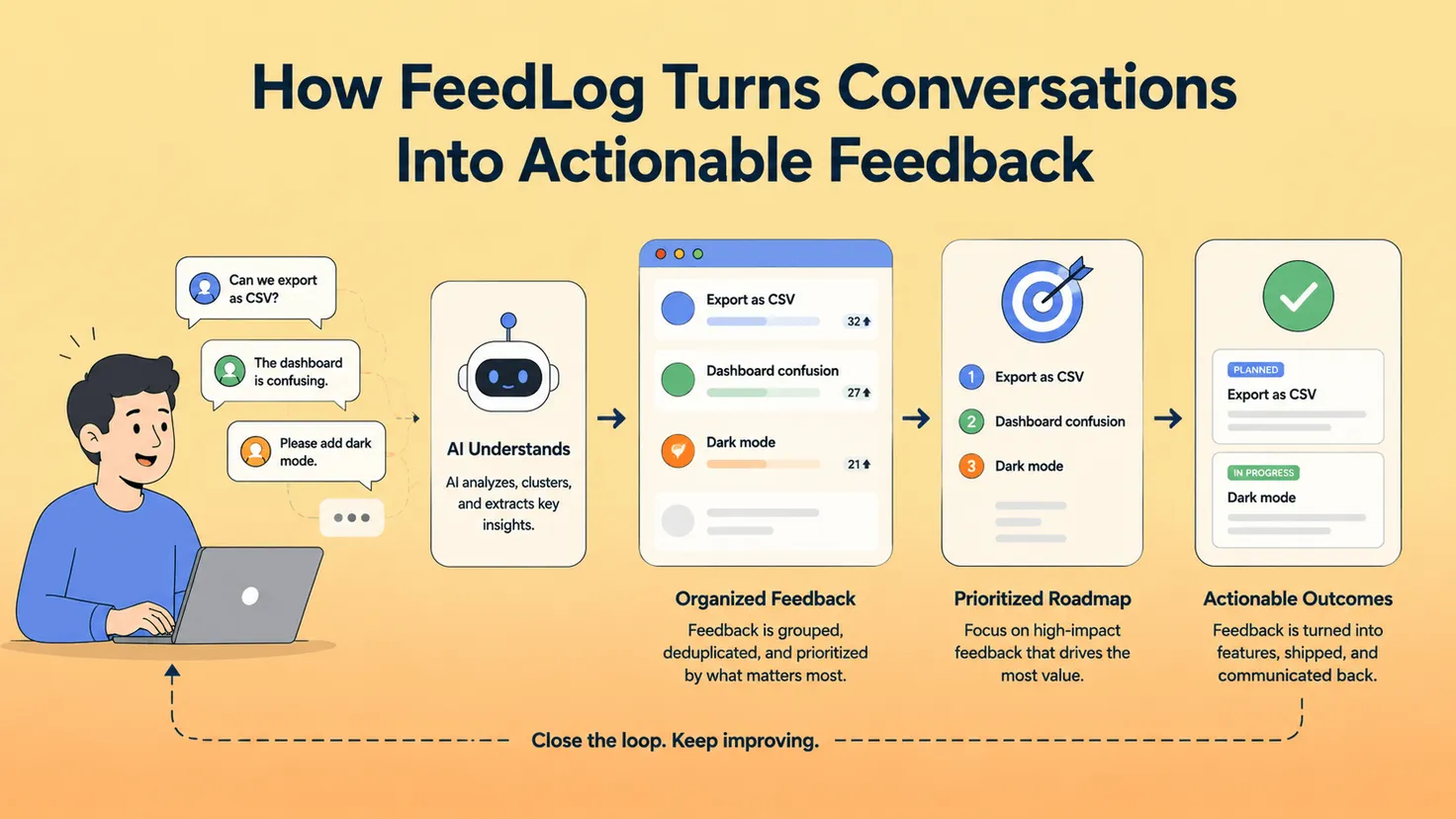
Once enough context has been collected, the conversation can be turned into structured product feedback. If the user's message is better handled as a support request rather than product feedback, the widget can direct the user toward the appropriate support channel.
In other words:
The widget is only the entry point.
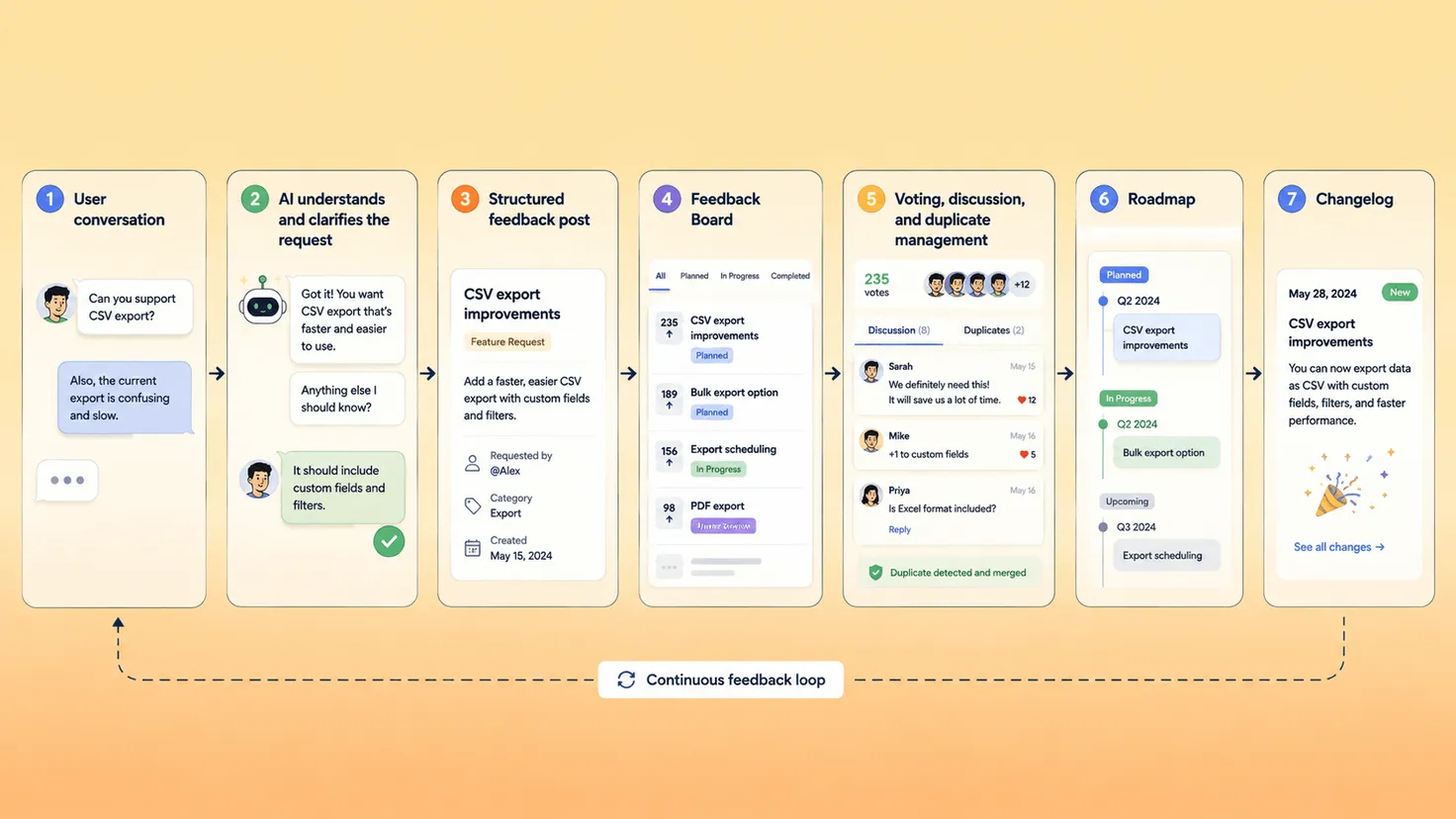
The larger feedback workflow looks like this:
User conversation → AI understands and clarifies the request → Structured feedback post → Feedback Board → Voting, discussion, and duplicate management → Roadmap → Changelog
This matters because collecting feedback and managing feedback are two different problems.
A feedback widget can make it easier for users to tell you something. The product team still needs a way to organize those requests, identify duplicates, decide what to work on, communicate planned work, and eventually tell users what changed.
FeedLog connects those stages in one workflow.
Feedback posts can move through statuses such as Open, Planned, In Progress, and Completed. Planned, In Progress, and Completed posts can appear on the public roadmap, making it easier for users to understand what the team is working on.
When completed work is ready to be announced, it can become part of the changelog. AI can also help draft changelog entries based on completed feedback.
Instead of feedback disappearing into an inbox, users can see how ideas move through the product development process.
Open Source or Hosted: Choose How You Run FeedLog
For SaaS teams, collecting user feedback can also raise another question:
Where does that data live?
FeedLog is open source under the MIT License and provides two ways to use the product: FeedLog Cloud or self-hosting.
The Cloud option is designed for teams that want the simplest setup.
FeedLog manages the PostgreSQL database, infrastructure, upgrades, and AI configuration, so teams can focus on collecting and managing feedback rather than operating the underlying infrastructure.
Self-hosting gives teams more control.
Feedback data can remain in your own PostgreSQL database and S3-compatible storage, which can be useful for teams with specific data ownership or infrastructure requirements.
AI is configurable in a self-hosted environment as well. Teams can provide an API key for OpenAI or Azure, connect through a LiteLLM proxy, or connect a model running on their own hardware.
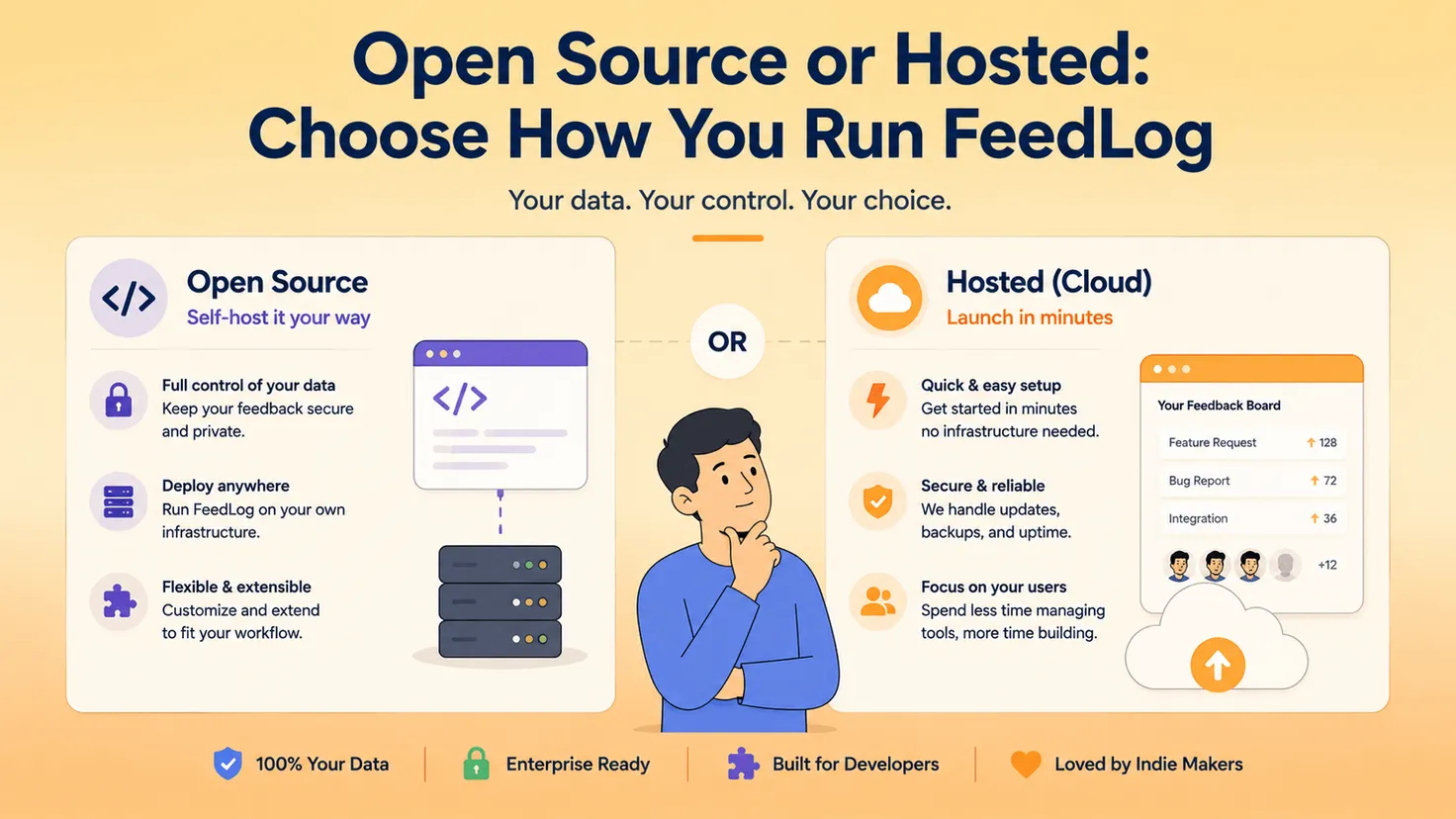
Both Cloud and self-hosted deployments include the core FeedLog workflow, including feedback boards, roadmap, changelog, duplicate detection, and the feedback widget.
The difference is primarily how much infrastructure you want to manage and how much control you want over where your data and AI services run.
How to Deploy FeedLog
If your priority is getting started quickly, FeedLog Cloud is the simplest route.
Create your workspace, configure your feedback boards and product settings, and add the widget to your SaaS product. Hosting, database operations, and AI infrastructure are managed for you.
For teams that prefer to manage their own infrastructure, FeedLog currently supports self-hosting with:
- Docker
- Vercel
- Cloudflare Workers
A self-hosted deployment requires PostgreSQL 17 or later with the vector extension installed. The vector extension is used for duplicate detection.
Depending on your setup, you can also configure services for authentication, email, storage, and AI.
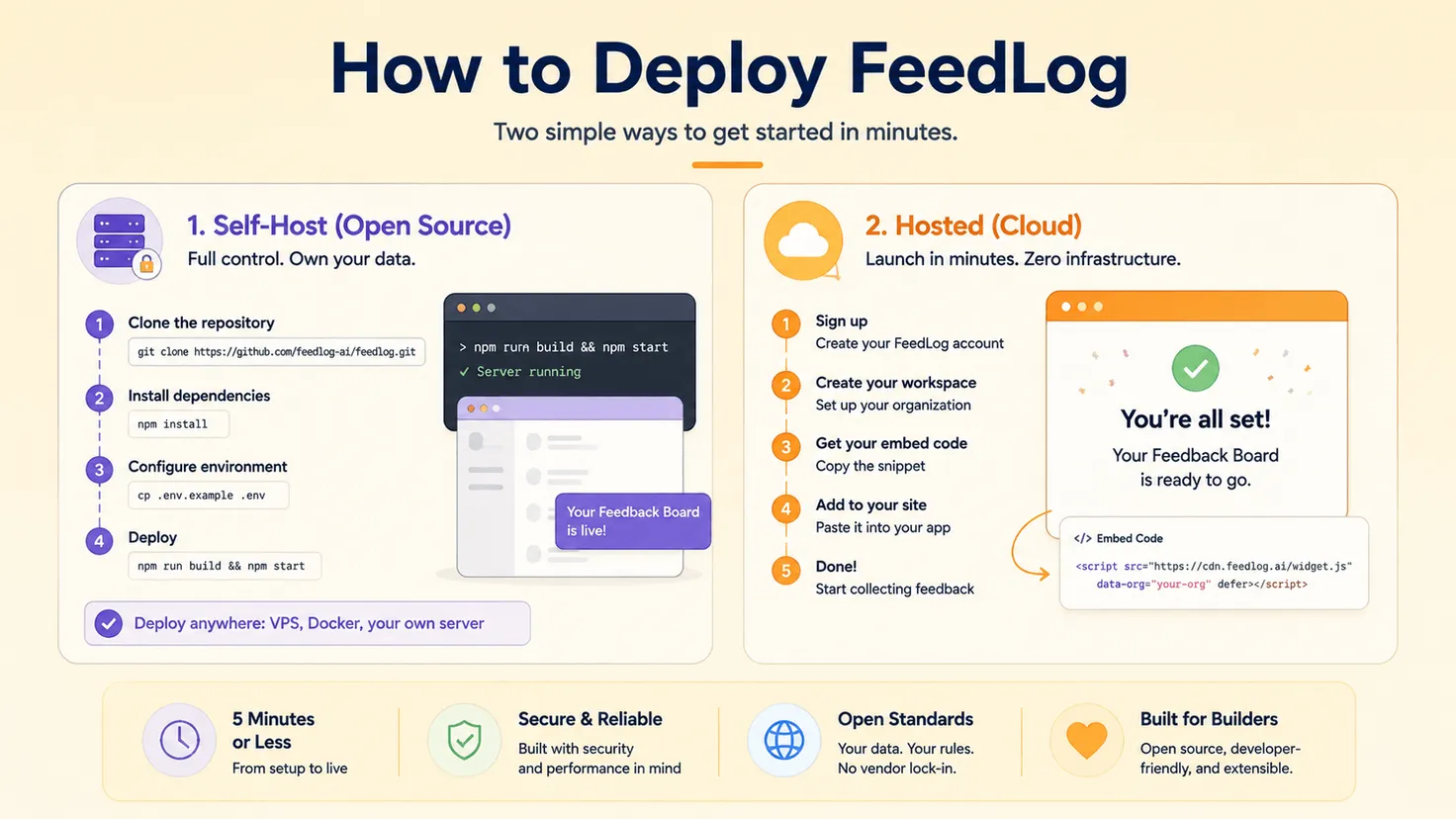
Once the FeedLog instance is running, the feedback widget can be embedded into your SaaS product so users can start submitting feedback directly from the application.
The exact technical setup varies depending on whether you're deploying with Docker, Vercel, or Cloudflare Workers, so the latest FeedLog documentation should be used for environment variables and deployment-specific instructions.
The important point is that teams have a choice.
You can use the managed Cloud service when convenience matters most, or self-host FeedLog when infrastructure and data control are more important.
Either way, the feedback experience for the user remains close to the product itself.
How to Choose a Feedback Widget for Your SaaS
Not every SaaS team needs the same type of feedback widget.
A design agency might care most about screenshots and visual annotations. A B2C product might want NPS and CSAT surveys. An early-stage SaaS team may care more about feature requests and understanding why users are asking for them.
Before choosing a tool, ask a few practical questions.
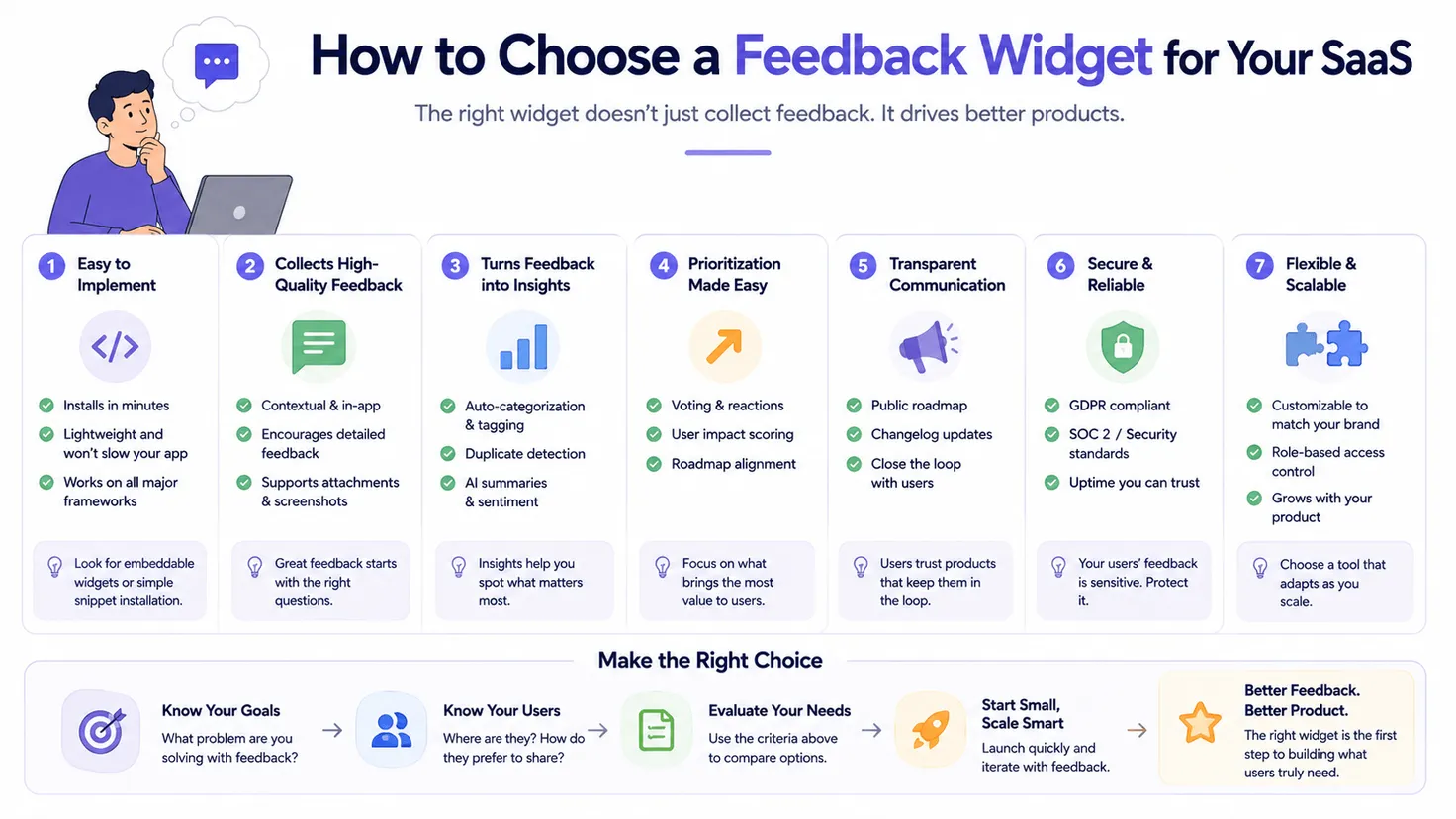
Is it easy for users to access?
Users shouldn't have to search for your feedback channel.
The feedback widget should be available close to the experience they're giving feedback about.
Does it interrupt the user?
A feedback widget should make communication easier without becoming another pop-up users immediately close.
What kind of feedback can it collect?
Think beyond generic comments.
Do you need feature requests, bug reports, attachments, screenshots, ratings, surveys, or open-ended conversations?
Does it preserve enough context?
"This is confusing" is less useful than knowing what the user was doing and what they expected to happen.
The closer feedback collection happens to the actual product experience, the easier it becomes to preserve that context.
What happens after feedback is submitted?
This is one of the most important questions.
Can your team organize feedback?
Can you identify or merge duplicate requests?
Can other users vote or discuss ideas?
Can accepted requests move to a roadmap?
Collecting feedback is useful. Turning it into a product workflow is much more valuable.
Can it clarify vague requests?
If your product team repeatedly has to contact users to understand what their feedback means, consider whether the feedback widget can help collect that context upfront.
For some products, a simple form is enough.
For others, AI-assisted conversations can reduce the manual back-and-forth required to understand feature requests and product problems.
Can you close the loop?
Users are more likely to keep sharing feedback when they can see that someone is listening.
A roadmap, status updates, and changelog can help turn feedback from a one-way submission into an ongoing relationship between users and the product team.
Do you need control over your data?
For many teams, a hosted SaaS is the easiest option.
Others may prefer self-hosting because of internal infrastructure, data ownership requirements, or the ability to configure their own AI providers.
The "best" feedback widget isn't necessarily the one with the longest feature list.
It's the one that fits the way your team collects, understands, manages, and acts on user feedback.
Where Should You Place a Feedback Widget?
A feedback widget should be easy to find without getting in the user's way.
For many SaaS applications, a floating button in the bottom corner works well because it remains available throughout the product without taking over the interface.
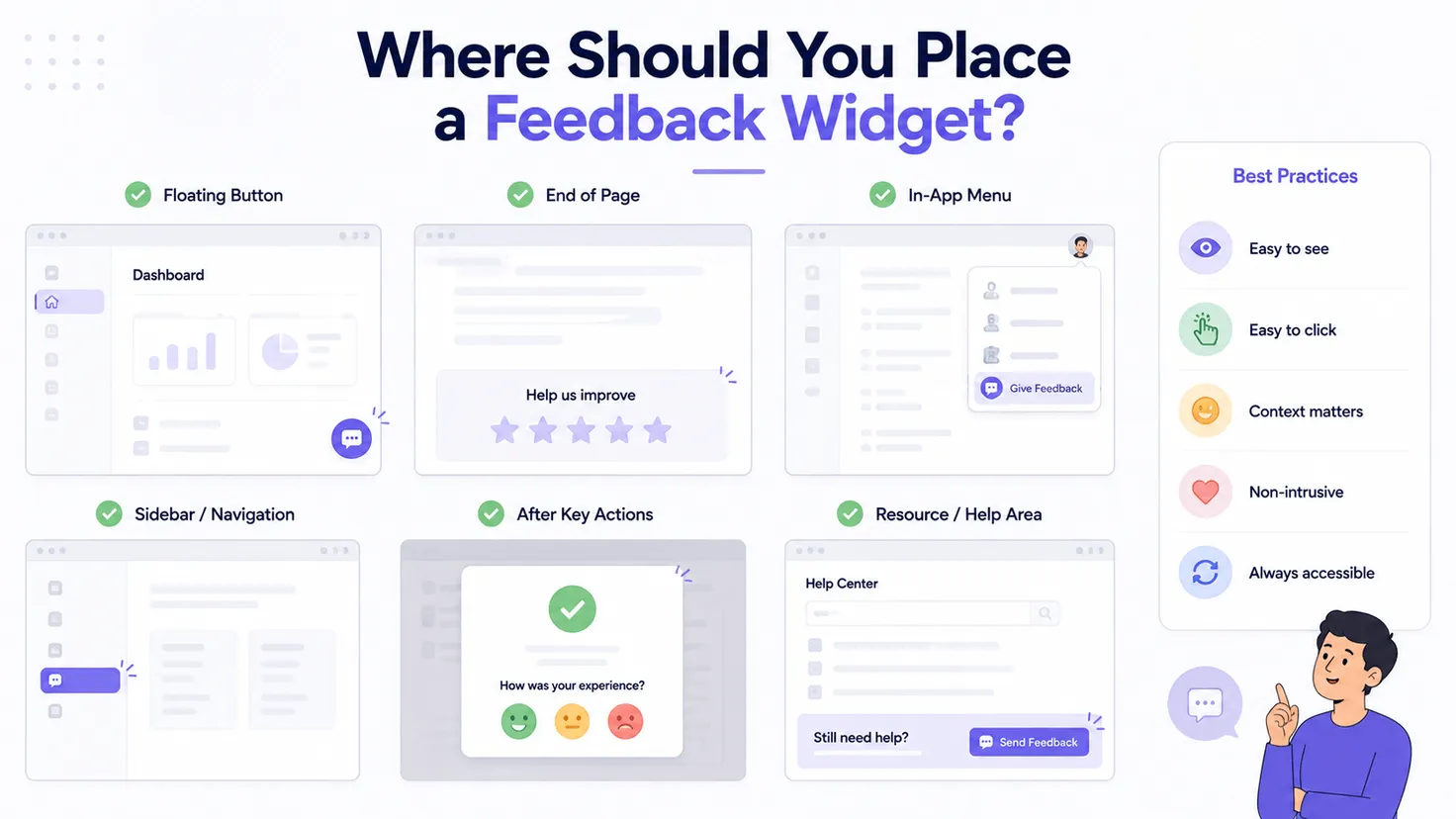
But placement should follow context rather than convention.
If users frequently have feedback after generating a report, consider making feedback accessible near that workflow.
If you're testing a new feature, you might provide an entry point directly inside that feature.
If feedback is mostly about account settings or onboarding, those areas may deserve their own contextual entry points.
The important principle is simple:
Put feedback close to the moment when users are most likely to have something useful to say.
Also consider mobile responsiveness. A widget that's unobtrusive on desktop can easily become distracting on a smaller screen.
And once you've chosen a location, keep it consistent enough that returning users know where to find it.
The less users have to think about how to give feedback, the more attention they can give to explaining what they actually need.
Feedback Collection Is Only the Beginning
Adding a feedback widget to your SaaS product can dramatically lower the barrier between users and your product team.
But collecting more feedback isn't the final goal.
If hundreds of comments pile up and nobody understands, organizes, prioritizes, or responds to them, you've simply created another inbox.
The real value appears when feedback moves.
A user experiences something.
They tell you.
Your team understands the problem.
Related feedback is organized together.
The team decides what matters.
Work moves onto the roadmap.
The product changes.
And eventually, the user can see what happened.
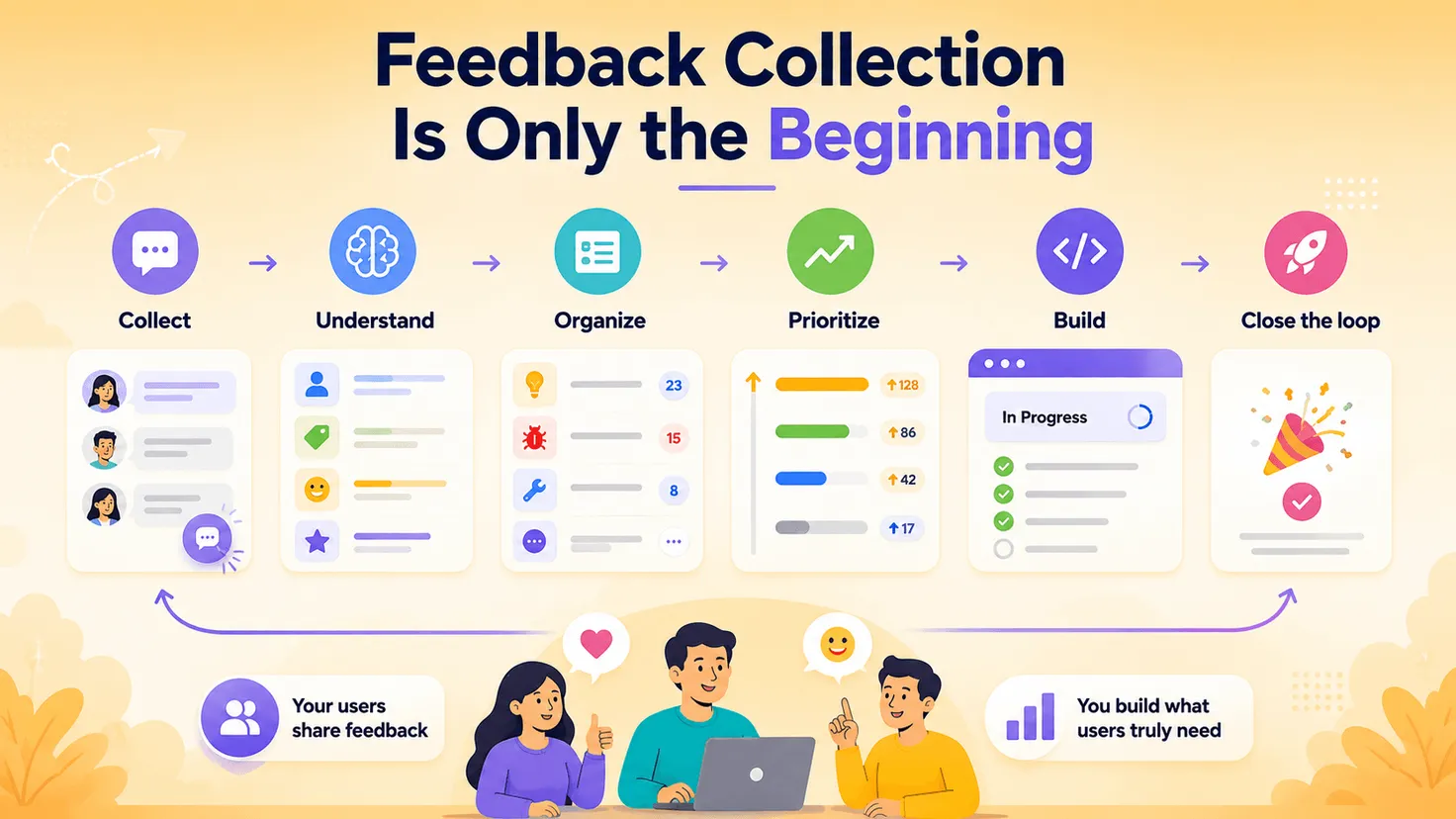
That's the difference between collecting feedback and actually building a feedback loop.
AI can make the beginning of that process better, too.
Instead of expecting every user to write the perfect bug report or feature request, an AI-powered feedback widget can help clarify what they mean while the context is still fresh.
That doesn't replace product judgment.
It gives the people making those decisions better information to work with.
A feedback widget shouldn't just make feedback easier to submit.
It should make feedback easier to understand and act on.
Frequently Asked Questions
What is a feedback widget?
A feedback widget is an interface embedded into a website or application that allows users to submit comments, feature requests, bug reports, or other feedback without leaving the page.
It commonly appears as a floating button, tab, pop-up, or embedded panel. For SaaS products, a feedback widget can provide an always-available channel for users to share feedback while they're actively using the product.
What is the difference between a feedback widget and a survey?
A survey usually asks a predefined set of questions and is useful when a team already knows what it wants to measure, such as NPS, CSAT, or satisfaction with a particular feature.
A feedback widget is often more open-ended and continuously available. Users can initiate feedback when they encounter a problem or have an idea rather than waiting for the company to ask them.
Some feedback tools combine both approaches.
Where should I put a feedback widget in my SaaS product?
A common location is the bottom-right or bottom-left corner of the application, where the widget remains accessible without interrupting the main workflow.
However, context matters more than a universal placement rule.
Consider placing feedback entry points close to important workflows, new features, onboarding steps, or other areas where users are likely to encounter questions or friction.
Can a feedback widget collect feature requests?
Yes.
Product-focused feedback widgets can collect feature requests, improvements, and bug reports.
More advanced feedback systems can also organize those requests into boards, allow users to vote or discuss them, identify duplicate feedback, update request statuses, and connect accepted requests to a public roadmap.
How can AI improve a feedback widget?
AI can be especially useful when users submit feedback that lacks context.
Instead of immediately saving a vague comment such as "Export doesn't work," an AI-powered feedback widget can ask follow-up questions to better understand what the user is trying to accomplish.
That conversation can then be turned into clearer, more structured product feedback.
For SaaS teams, this can reduce some of the manual back-and-forth normally required to understand vague feature requests and product issues.